
Early Access Deco X50/X55_V1.3_1.8.2 Expanded the Client Connection Detail and Added ECO Mode, VPN Kill Switch


Hey Everyone,
We’re excited to introduce a new firmware update for the Deco X50/X55_V1.30/V1.33, packed with powerful new features and enhancements designed to elevate your Deco Mesh Home Networking experience.
This Article Applies to:
Deco X50(US/KR) / Deco X55(US/CA)_V1.30/V1.33
Modifications and Enhancements:
- Streamlined TP-Link Simple Setup process.
- Added Traffic Usage for online clients and optimized real-time information display on the Deco App, including wireless standard/bandwidth/encryption and online time.
- Added ECO Mode
- Added the VPN Kill Switch
- Optimized the Configuration Backup feature for a smoother device migration operation
- Improved 2.4GHz mesh performance and overall networking experience.
- Improved Overall System Security & Stability
- Correct the Deco node's Online Time.
Firmware Download Link:
Deco X50/X55_V1.30/V1.33 |
1.8.2_build_20260421_rel_45251_Beta |
Update Notice:
- This beta firmware version number, as well as the future official version, has been adjusted to 1.8.x to align and streamline software release management with Deco X50/X55_V1.0/V1.6 going forward.
- Please be sure you have read the Beta Test Agreement before upgrading the Pre-release firmware!
- Please make sure the Deco APP is up-to-date.
- This firmware can’t be degraded directly to the previous version. A firmware recovery is required to revert to the official 1.3.1 version.
- How to manually update the firmware via web UI.
As always, we value your feedback. If you happen to encounter any concerns during or after the firmware upgrade, please feel free to comment below with the following information. Your input helps us continue to improve and provide the best possible products and support.
- Provide a detailed network layout, including how the devices are connected.
- Include a detailed description of the issue and as much information as possible regarding the specific conditions that seem to trigger the behavior.
Thank you for your continued support and for being part of our community.
Update Log
Apr 24th, 2026
- Update the pre-release firmware.
- Add a release note: Correct the Deco node's Online Time.
- Copy Link
- Subscribe
- Bookmark
- Report Inappropriate Content

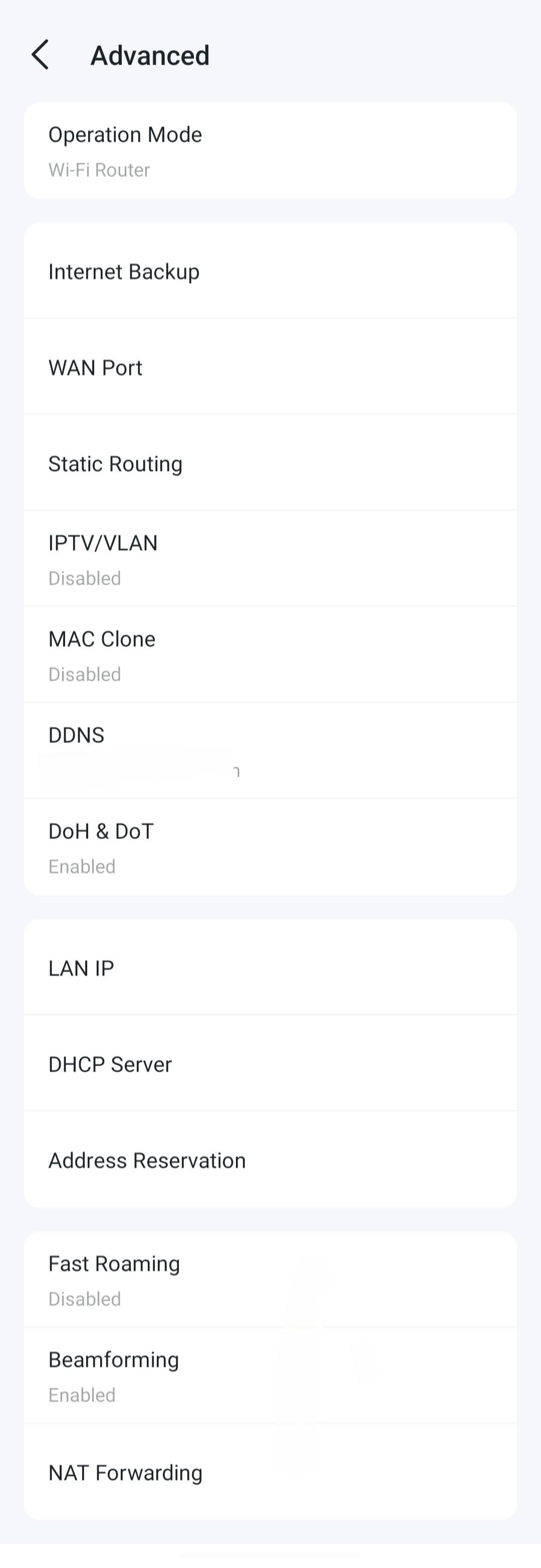
Hi, the "VPN Kill Switch" is under Deco App>More>VPN>VPN Client.
As for the "Wireless Network Mode", it is usually under "DHCP Server". Did it make any difference if you manually power-cycle the Deco X50 once?
-If still no "Wireless Network Mode", please refer to this link to help me submit the Deco App log: How to submit Deco APP log
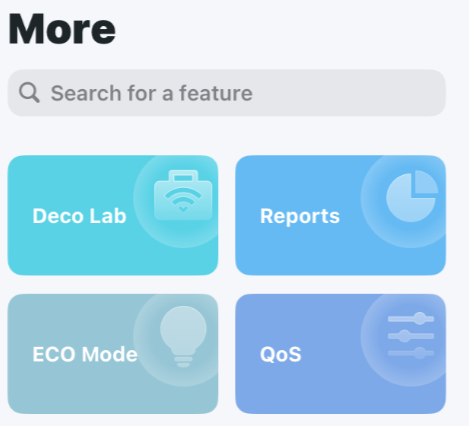
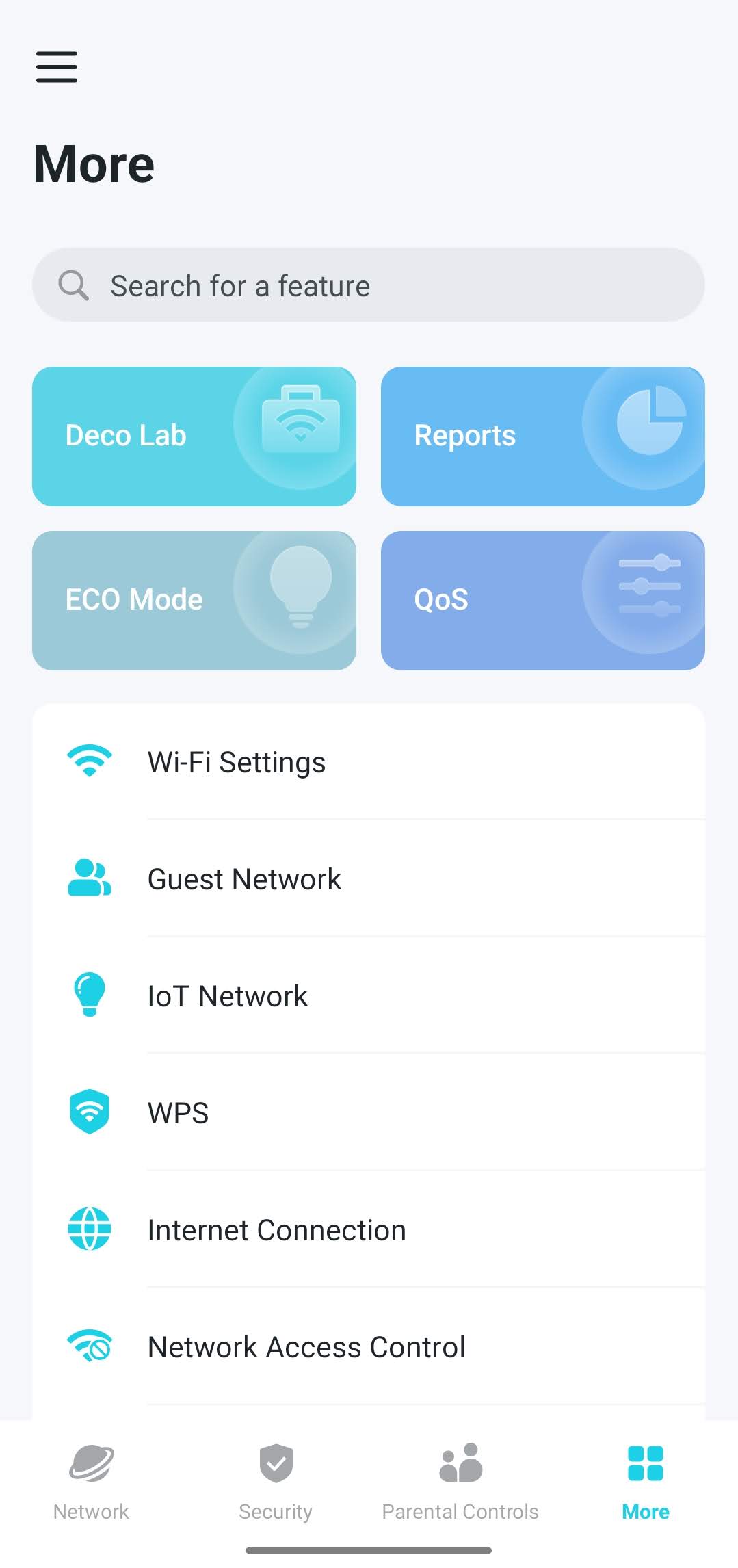
By the way, could you please do me a favor to check whether you can find "ECO Mode" on the top four bars on the Deco App>More page?
- Copy Link
- Report Inappropriate Content

@David-TP Off topic...!
Today I went to #BroadbandExpo and as I am their customer, I got some gifts from..... Rahat Ulfat Nayon bhai TP-Link 2 T-shirts Dot Internet 2 pens, although I went to meet Ashik Mostafiz bhai and Mahi Rahman bhai but they could not come today.

- Copy Link
- Report Inappropriate Content
@David-TP No, BBK Electronics Of Chinese global models support 160MHz and 36-48 channels.
- Copy Link
- Report Inappropriate Content

I have manually power cycle my router, but still no option as "Wireless Network Mode".
Yes, there is "ECO Mode" available in my app.
I have submitted Deco App Log, as per your advice.
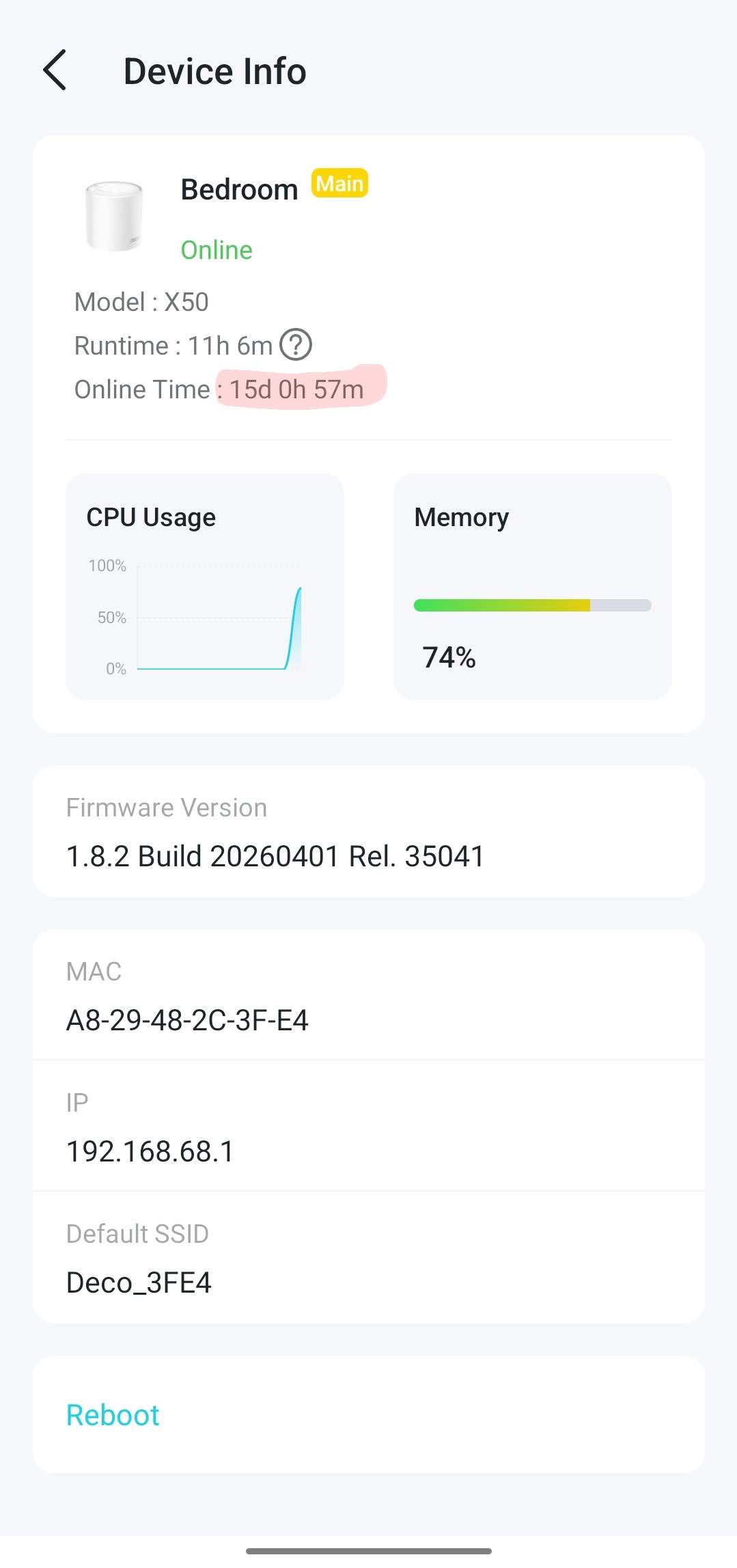
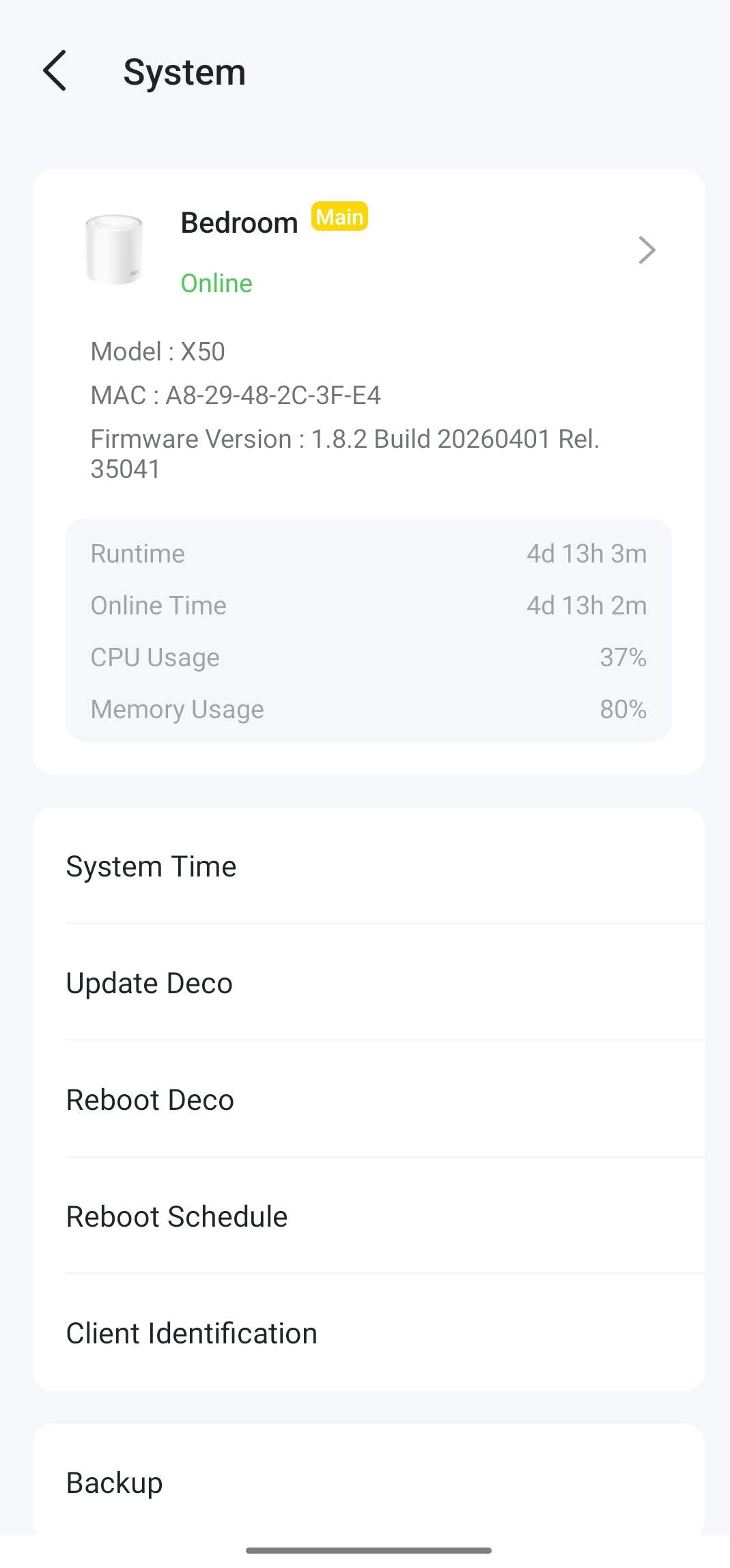
Also, I am getting a bug the Online Time shown in the app.
- Copy Link
- Report Inappropriate Content
Hi,
Thank you for the updates. I did not find your Deco app log. Please ensure your Deco app is up to date, and then refer to the instructions below to send us the app log again. After that, please attach your reference number (such as email TKIDXXX) to the thread so we can find the log quickly.
How to collect the system log of the Deco app
How many Deco nodes do you have? Please note that the "wireless network mode" feature requires at least 2 Deco nodes in the network, and all Deco nodes must support this feature.
Best Regards
- Copy Link
- Report Inappropriate Content
I have again sent Deco app log as per instruction.
Please be noted that I have single unit Deco X50 router in my network.
I have shared a bug which shows that Online Time is 15d whereas my router Runtime is only 11h.
- Copy Link
- Report Inappropriate Content
Hi,
Regarding the reported phenomenon in this post, if you want to troubleshoot further, please follow the instructions below to send us the app log. After that, please attach your reference number (e.g., email TKIDXXX) to the thread so we can find the log for analysis.
How to collect the system log of the Deco app
Best Regards
- Copy Link
- Report Inappropriate Content
Hi,
Thank you for the information update and app log provided. I'm consulting with the relevant team on your case and will reply to you if there are any updates.
Best Regards
- Copy Link
- Report Inappropriate Content
Hi,
In your situation, please try the firmware (1.8.2_build_20260421_rel_45251_Beta) on your Deco and check whether the Deco's online time is corrected.
How to Update TP-Link Deco Firmware
Best Regards
- Copy Link
- Report Inappropriate Content
Online time is corrected without the installation of your provided beta firmware a few days back.
- Copy Link
- Report Inappropriate Content
Information
Helpful: 1
Views: 7423
Replies: 89
Voters 1
