
Early Access Deco X50/X55_V1.3_1.8.2 Expanded the Client Connection Detail and Added ECO Mode, VPN Kill Switch


Hey Everyone,
We’re excited to introduce a new firmware update for the Deco X50/X55_V1.30/V1.33, packed with powerful new features and enhancements designed to elevate your Deco Mesh Home Networking experience.
This Article Applies to:
Deco X50(US/KR) / Deco X55(US/CA)_V1.30/V1.33
Modifications and Enhancements:
- Streamlined TP-Link Simple Setup process.
- Added Traffic Usage for online clients and optimized real-time information display on the Deco App, including wireless standard/bandwidth/encryption and online time.
- Added ECO Mode
- Added the VPN Kill Switch
- Optimized the Configuration Backup feature for a smoother device migration operation
- Improved 2.4GHz mesh performance and overall networking experience.
- Improved Overall System Security & Stability
- Correct the Deco node's Online Time.
Firmware Download Link:
Deco X50/X55_V1.30/V1.33 |
1.8.2_build_20260421_rel_45251_Beta |
Update Notice:
- This beta firmware version number, as well as the future official version, has been adjusted to 1.8.x to align and streamline software release management with Deco X50/X55_V1.0/V1.6 going forward.
- Please be sure you have read the Beta Test Agreement before upgrading the Pre-release firmware!
- Please make sure the Deco APP is up-to-date.
- This firmware can’t be degraded directly to the previous version. A firmware recovery is required to revert to the official 1.3.1 version.
- How to manually update the firmware via web UI.
As always, we value your feedback. If you happen to encounter any concerns during or after the firmware upgrade, please feel free to comment below with the following information. Your input helps us continue to improve and provide the best possible products and support.
- Provide a detailed network layout, including how the devices are connected.
- Include a detailed description of the issue and as much information as possible regarding the specific conditions that seem to trigger the behavior.
Thank you for your continued support and for being part of our community.
Update Log
Apr 24th, 2026
- Update the pre-release firmware.
- Add a release note: Correct the Deco node's Online Time.
- Copy Link
- Subscribe
- Bookmark
- Report Inappropriate Content

Hi, this version is kind of full of surprises .
.
How about the ECO mode? Would removing Deco X10 help restore the ECO entry on the Deco App?
Wait for your reply.
Best regards.
- Copy Link
- Report Inappropriate Content

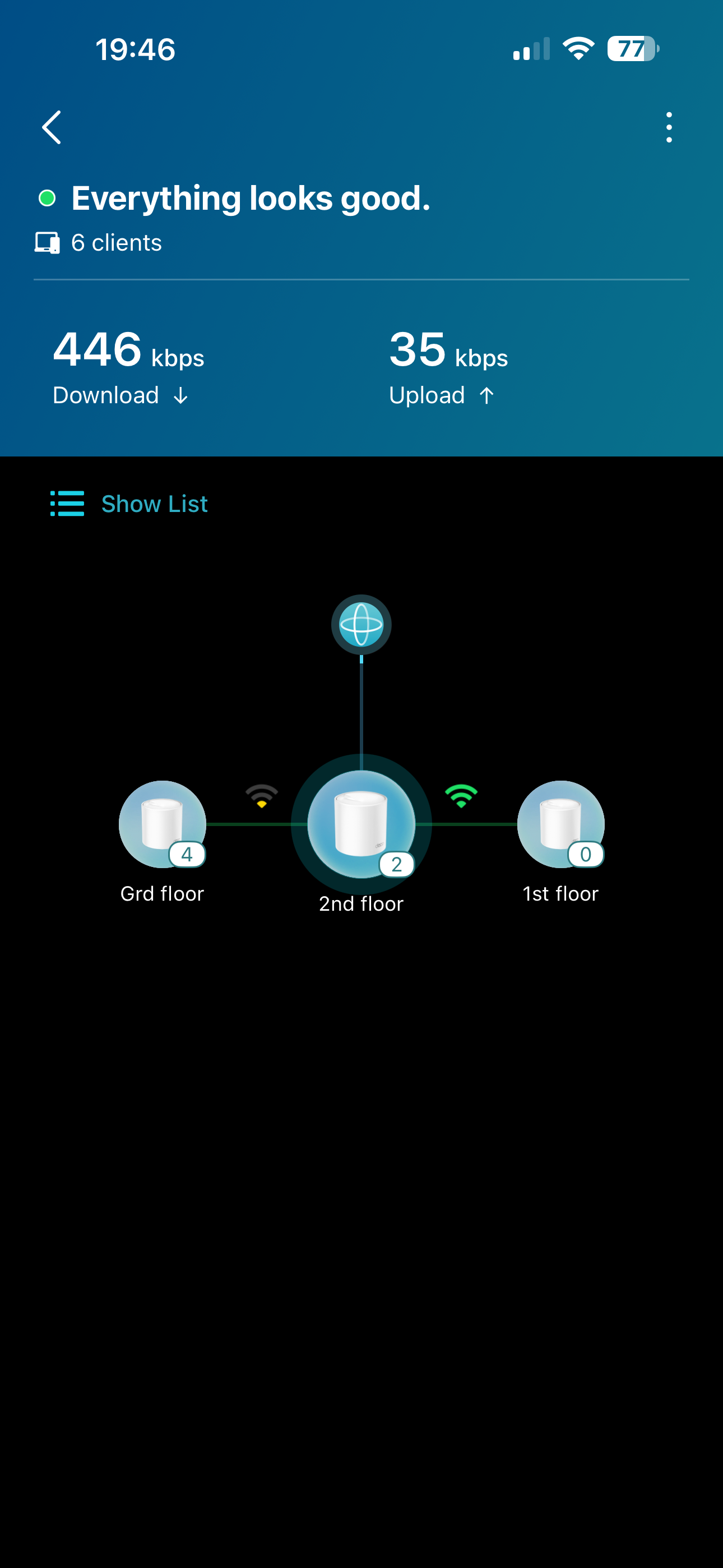
Hi,
Is there Connection Preference function in this firmware?
I'm currently having this issue: my floor ground node keeps connecting to the main node which is located in the 2nd floor, therefore network speed in the ground floor is very weak. Is there anyway that I can force it connect to the 1st floor node which is much nearer?
- Copy Link
- Report Inappropriate Content
Hi, yes, it does.
Are all three units Deco X50_V1.3?
If yes, you can refer to: How to select a preferred signal source on the Deco App
Best regards.
- Copy Link
- Report Inappropriate Content

@David-TP This is why the IP is not showing even after making an address reservation.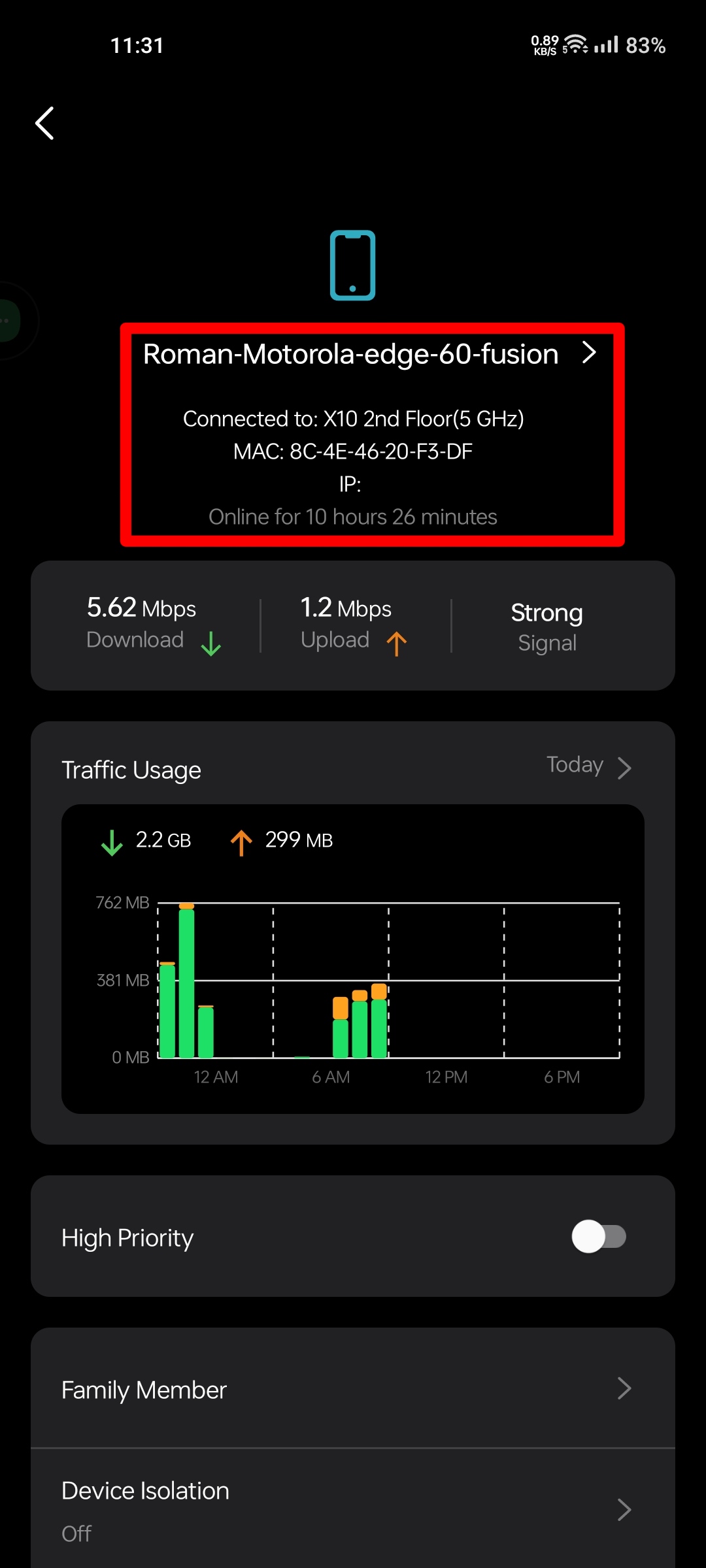

- Copy Link
- Report Inappropriate Content

Have you tried this yet?
https://community.tp-link.com/en/home/forum/topic/861282?replyId=1681694
- Copy Link
- Report Inappropriate Content
@HelpFixDecoApp no...
- Copy Link
- Report Inappropriate Content
thanks for your response. Will try it tonight
- Copy Link
- Report Inappropriate Content
@David-TP Why is 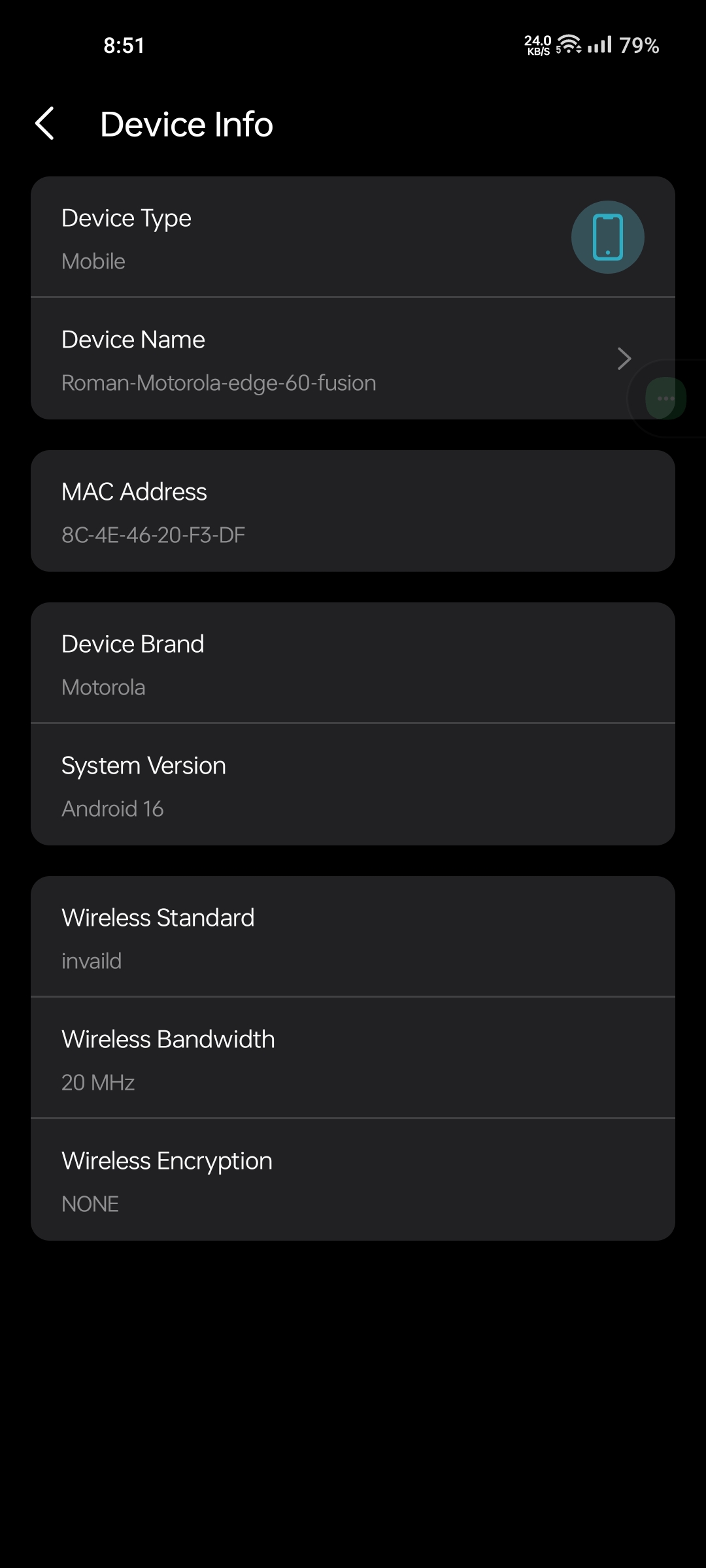 Deco X10 not supporting 80mhz even though I have set Deco X50 to manual channel and channel width 149/80..Why is this happening? Please solve it quickly.
- Copy Link
- Report Inappropriate Content

I did not find wireless network mode and kill switch for VPN after updating to this firmware.
- Copy Link
- Report Inappropriate Content

@David-TP When I open the Deco app, it suddenly crashes whenever I try to view the details of any client. I’m not sure what kind of issue this is.
Additionally, I have set the MIMO channel to 40MHz, but it still shows 1×1 MIMO. Even after setting 40MHz, it displays 20MHz, which I don’t understand.
In this case, if 2×2 MIMO were supported, I could achieve much higher speeds. For example, I am using a TL-WR841N in repeater mode connected to my Deco X50 on the 2.4GHz band. All the clients connected through the TL-WR841N are using 2×2 MIMO and are getting good speeds, which I am quite satisfied with.
However, when using the Deco X50 as the main router, it shows a 1×1 MIMO connection on the same 2.4GHz band. I don’t understand why it does not connect using 2×2 MIMO in this case, and I would appreciate an explanation.
I hope these issues will be fixed in the next update of Deco X50 Version 1.30 so that such problems do not occur in the future.
I am attaching some screenshots to help illustrate these is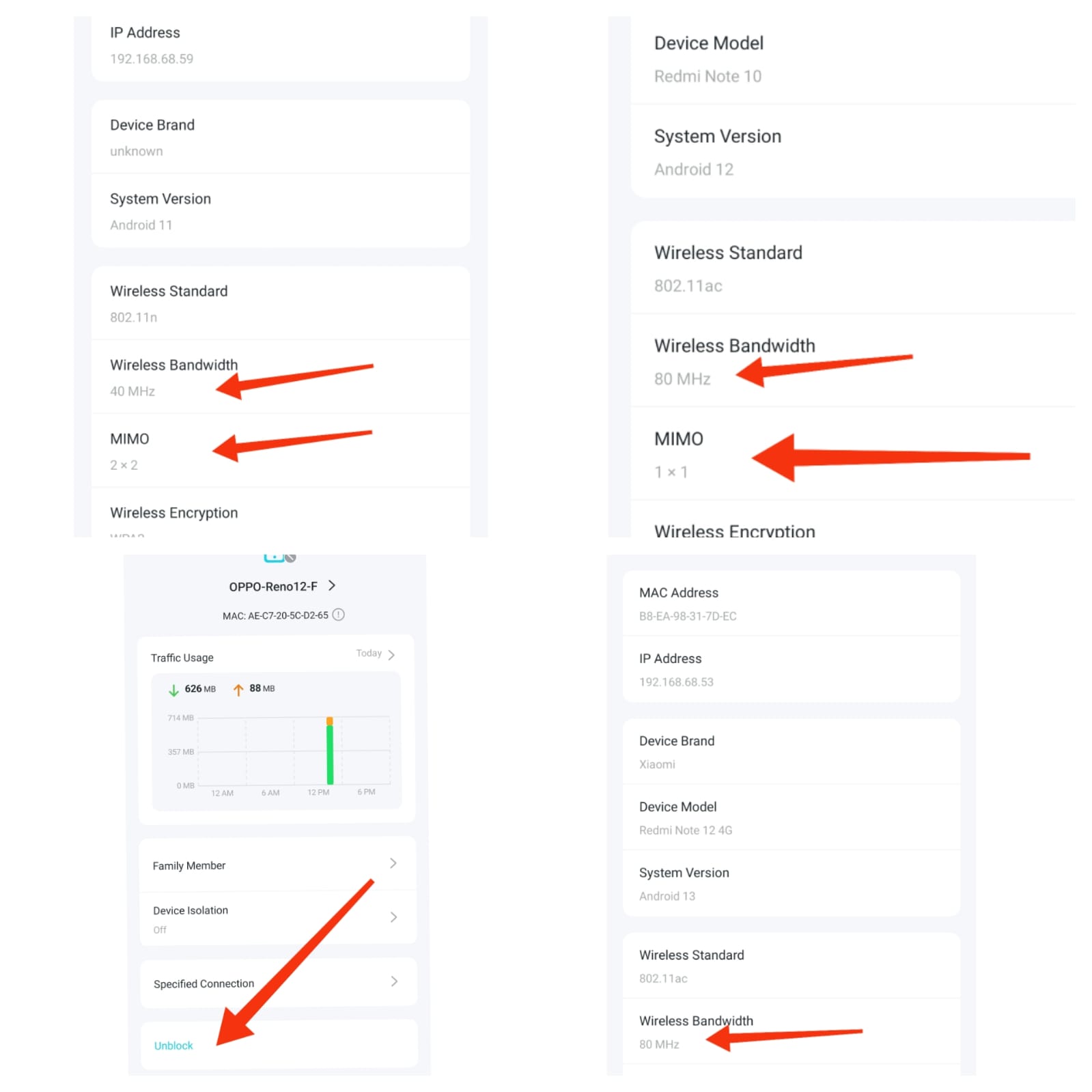 sues.
sues.
- Copy Link
- Report Inappropriate Content
Information
Helpful: 1
Views: 8064
Replies: 89
Voters 1
