
C200 vertical lines in the playback bar?
 This thread has been locked for further replies. You can start a new thread to share your ideas or ask questions.
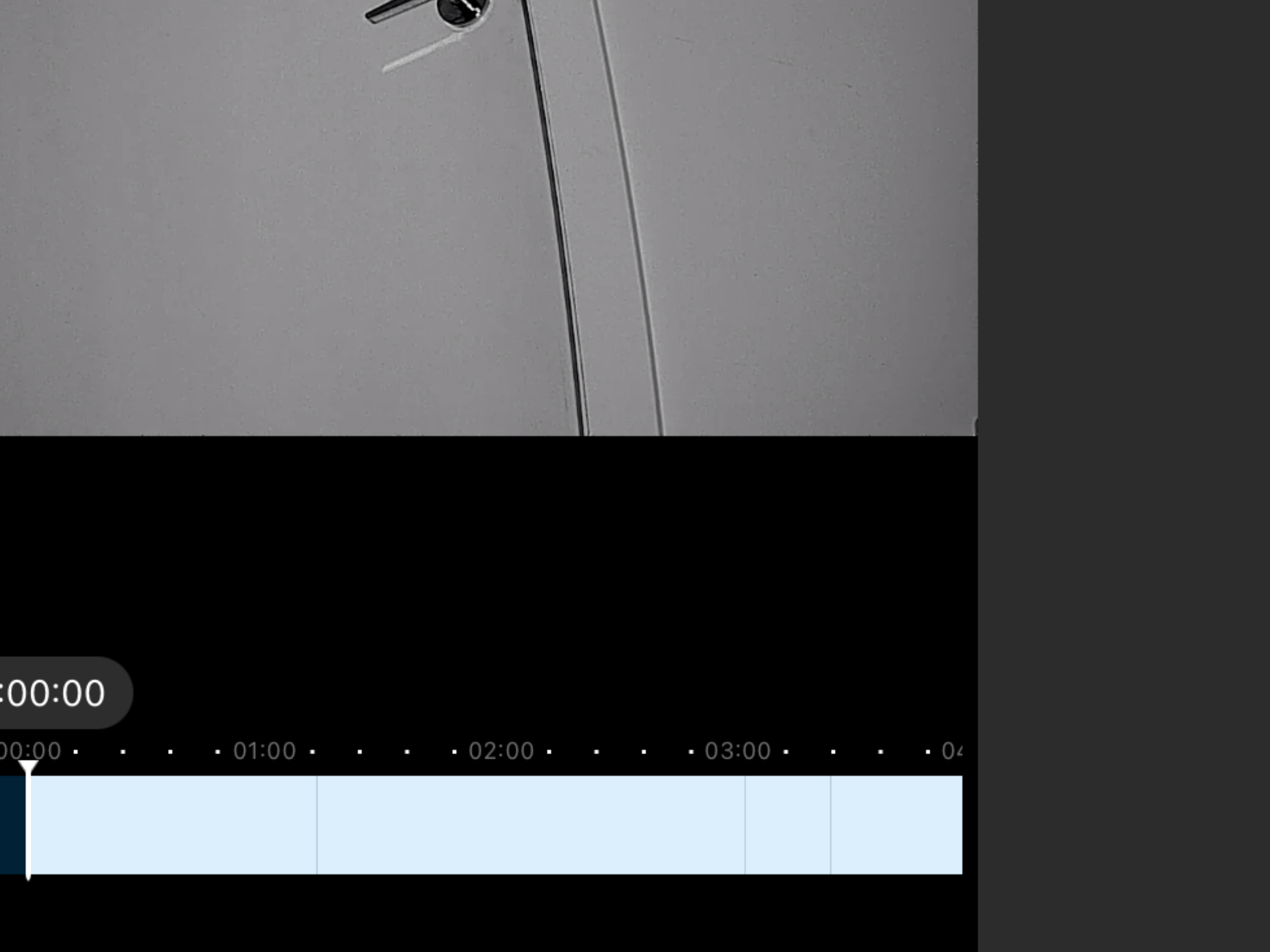 Does anyone know what those lines represent? There are no detections of anything.
- Copy Link
- Subscribe
- Bookmark
- Report Inappropriate Content


Hi,
Typically, the timeline won't have such vertical lines if you have configured the camera to record videos continuously. Did you reboot the camera when the vertical lines were displayed? You can start watching the video about 10 seconds before the vertical lines, and check whether part of the video is missing according to the date & time displayed on the video page.
You can try the following steps and check if it helps.
1. Update the Tapo app, make sure it's the latest one.
2. Reboot the camera.
3. Remove the SD card from the camera and insert it again.
4. Back up the important video clips to your PC and then format the SD via the Tapo app.
Best Regards
- Copy Link
- Report Inappropriate Content
Hi,
Typically, the timeline won't have such vertical lines if you have configured the camera to record videos continuously. Did you reboot the camera when the vertical lines were displayed? You can start watching the video about 10 seconds before the vertical lines, and check whether part of the video is missing according to the date & time displayed on the video page.
You can try the following steps and check if it helps.
1. Update the Tapo app, make sure it's the latest one.
2. Reboot the camera.
3. Remove the SD card from the camera and insert it again.
4. Back up the important video clips to your PC and then format the SD via the Tapo app.
Best Regards
- Copy Link
- Report Inappropriate Content
Information
Helpful: 0
Views: 440
Replies: 1
Voters 0
No one has voted for it yet.