Tapo C320ws spotlight is not working

This thread has been locked for further replies. You can start a new thread to share your ideas or ask questions.

Tapo C320ws spotlight is not working

This thread has been locked for further replies. You can start a new thread to share your ideas or ask questions.

Tapo C320ws spotlight is not working
2025-04-26 17:30:27 - last edited 2025-05-09 09:06:13
Model: Tapo C320WS  
Hardware Version: V1
Firmware Version: 1.2.2

Hi everyone,
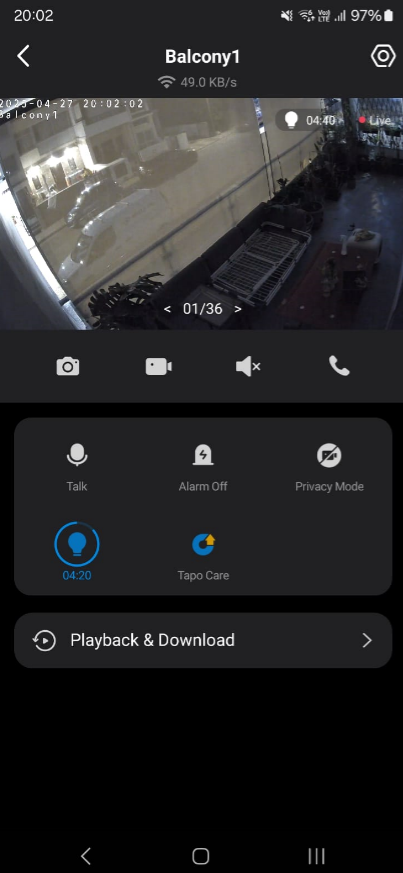
I have a Tapo C320WS camera, and the spotlight is not turning on at all, even at night. I tried everything — enabled Auto and Full-Color Night Mode, manually pressed the spotlight button in Live View, updated the firmware, reset the camera to factory settings, and even used a different power adapter.
I also have a second C320WS (bought both from Amazon) and I plugged it in just to check — but the spotlight doesn’t work on that one either.
Has anyone experienced this? Any ideas on what else I can try?
Thanks a lot!
 

  0      
  0      
#1
Options
1 Accepted Solution
Re:Tapo C320ws spotlight is not working-Solution
2025-04-27 08:59:50 - last edited 2025-05-09 09:06:13

  @maid3n 

Hi,
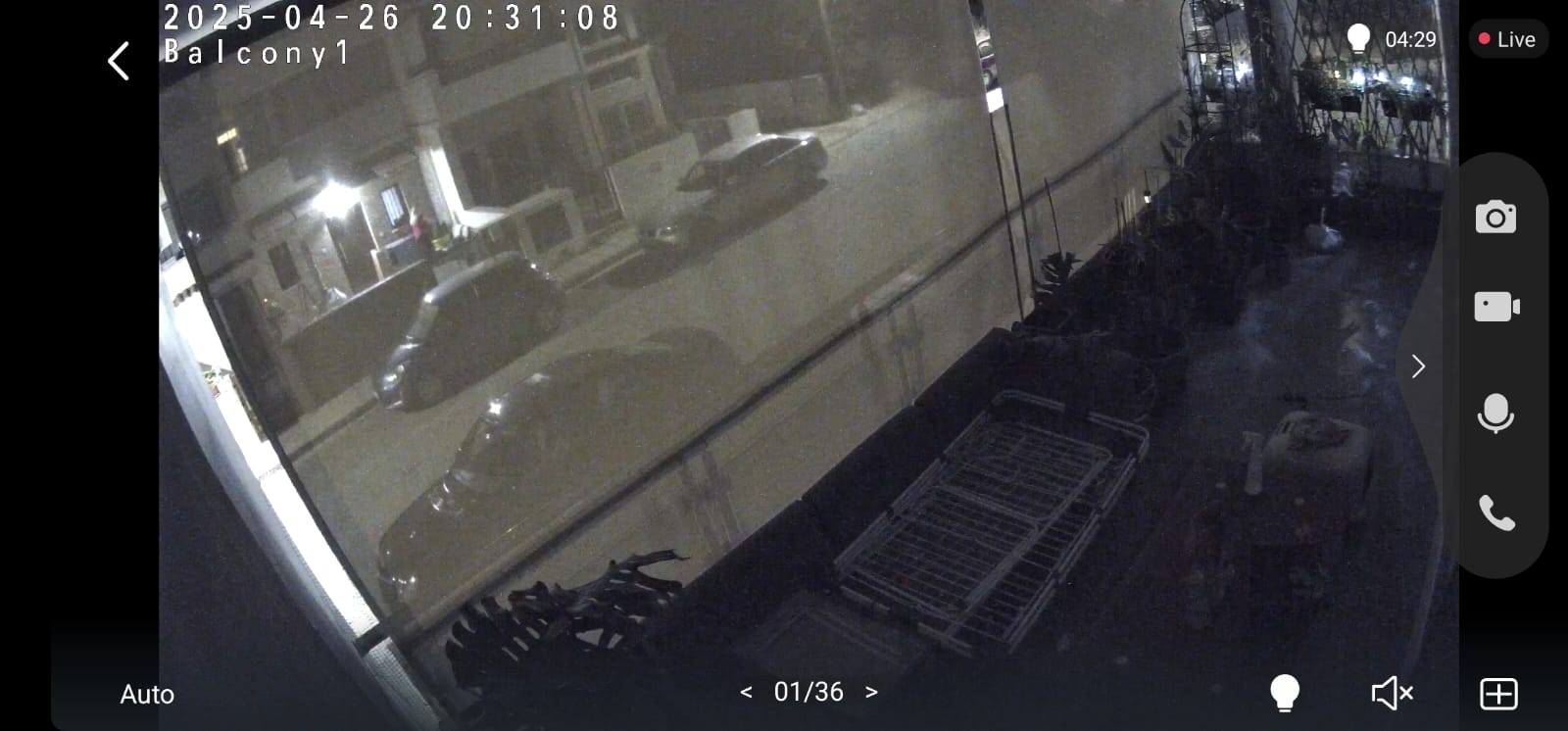
1. The Full-Color mode works only when the camera works in the night mode. From the picture you sent on the thread, it seems the camera works in the Day mode rather than Night mode. You can set the camera to  Night mode manually on its Live View page, then check if the spotlight will turn on when selecting the Full-Color mode.


2. After setting the camera to work in the Night mode, please check if you can turn on/off the spotlight manually on its Live View page.


Best Regards

Recommended Solution
  0  
  0  
#2
Options
3 Reply
Re:Tapo C320ws spotlight is not working-Solution
2025-04-27 08:59:50 - last edited 2025-05-09 09:06:13

  @maid3n 

Hi,
1. The Full-Color mode works only when the camera works in the night mode. From the picture you sent on the thread, it seems the camera works in the Day mode rather than Night mode. You can set the camera to  Night mode manually on its Live View page, then check if the spotlight will turn on when selecting the Full-Color mode.


2. After setting the camera to work in the Night mode, please check if you can turn on/off the spotlight manually on its Live View page.


Best Regards

Recommended Solution
  0  
  0  
#2
Options
Re:Tapo C320ws spotlight is not working
2025-04-27 17:03:53

  @Solla-topee Thank you for your answer
I set my camera to "infrared mode" and I enabled the spotlight. I can't see it open and the image I get is this:

  0  
  0  
#3
Options
Re:Tapo C320ws spotlight is not working
2025-04-28 09:15:37

  @maid3n 

Hi,
In this case, the problem may be the camera's spotlight has an issue. You can contact your retailer or our local team to check if the camera is under warranty.
 

By the way, if you select the Infrared mode on the Tapo app > camera's Device Settings > Video & Display > Night Mode Settings page, the Infrared mode works only when the camera goes into the Night mode(you can set the camera to Night mode manually on its Live View page).


Best Regards

  0  
  0  
#4
Options