
Can't get to website
Can't get to website

I have an odd issue, I cannot get to this website: https://dockhand.pro/ I can get to it on any other router, or at work on the same pc. Any guesses? I have tried multiple dns servers etc...
- Copy Link
- Subscribe
- Bookmark
- Report Inappropriate Content
It was DNS. I forgot DNS-Over-HTTPS was configured. Stripping that out fixed.
- Copy Link
- Report Inappropriate Content
- Copy Link
- Report Inappropriate Content
@ArcherC8 nope, but if I kick one on it works. Seems to only impact when directly connected to the router.
- Copy Link
- Report Inappropriate Content
Strange.... what happens if you bypass the router by connecting the pc direct to the modem?
- Copy Link
- Report Inappropriate Content
- Copy Link
- Report Inappropriate Content
I do not know.... I would try checking the security settings in the router.
Do you get some type of message?
- Copy Link
- Report Inappropriate Content
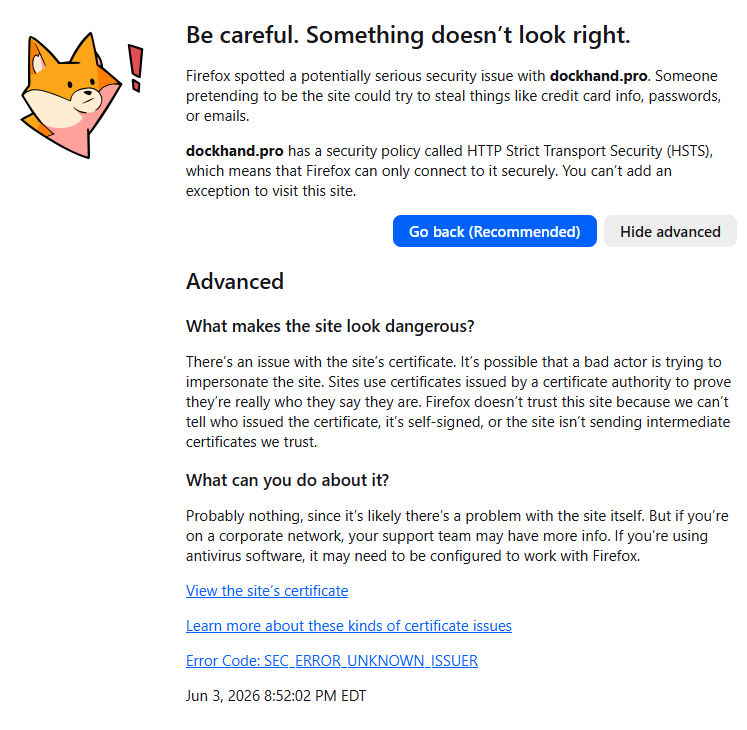
- Copy Link
- Report Inappropriate Content
- Copy Link
- Report Inappropriate Content
@ArcherC8 Edge, FF, Chrome, Vivaldi all fail.
- Copy Link
- Report Inappropriate Content
- Copy Link
- Report Inappropriate Content


Hello @ludespeedny ,
Welcome to our community.
For your case, please try the following troubleshooting steps:
1. Identify if it's an ISP issue: Disconnect the router from your ISP modem and connect your PC directly to the modem. Check if you can access the website. If not, it may be an ISP issue.
2. Disable any VPN or proxy: Make sure no VPN or network proxy is enabled on your PC or phone.
3. Change the DNS server: Open the Tether app, go to MORE > Internet Connection, and change the DNS server to 1.1.1.1 or 8.8.8.8. After updating, reconnect your device to the router to ensure the new DNS settings take effect.
4. Check Parental Control settings: Verify that no content filtering or website blocking rules are applied that could affect this site.
5. Check Antivirus / Real-Time Protection (this is the most likely cause given the HSTS error): The BE550 Pro may have an "Antivirus" or "Real-Time Protection" feature that inspects HTTPS traffic. When this feature intercepts a secure connection, it can trigger HSTS errors in the browser. Go to the router's web interface and check the Antivirus or Real-Time Protection history to see if dockhand.pro is being blocked.
- Copy Link
- Report Inappropriate Content
Information
Helpful: 0
Views: 128
Replies: 13
Voters 0
No one has voted for it yet.