Community Spotlight - Home Networking
Hey TP-Link Community!
Spring is here, and as the season brings revitalization, our team is busy re-energizing our user feedback drives―from Deco beta features to SSID configuration preferences, PoE usage, and more! This month’s highlights include fresh firmware rollouts and early-access opportunities, plus new ways to share feedback and improve Wi-Fi coverage planning with Deco Heatmap. There’s plenty to catch up on!
In case you missed it, our teams will now be hosting our Smart Home, Home Networking, and Business Newsletters on our Forum’s Knowledge Base. If you have relied on our previous emails, don’t worry – we will be curating the content from these pages into the email.
Coming up: We’re taking a look at a few recent topics from around the community, starting with Earth Day 2026 and a few ways to cut down on power use across your home network―for Archer, to Deco, and even Range Extenders. From there, the latest on our Community Feedback Drive, then we’ll close things out with some of April’s biggest firmware updates, including new features, pre-release builds, and fixes for select Archer and Deco models.
‒‒‒‒‒‒‒‒‒‒‒‒‒‒‒‒‒‒‒‒‒‒‒‒‒‒‒‒‒‒‒‒‒‒‒‒‒‒‒‒‒‒‒‒‒‒‒‒‒‒‒‒‒‒‒‒‒‒‒‒‒‒‒‒‒‒‒‒‒‒‒‒‒‒‒‒‒‒‒‒‒‒‒‒‒‒‒‒‒
Earth Day 2026 ― Our Power, Our Planet
Over time, more and more devices are connecting to home networks, and most routers run 24/7, so even small efficiency tweaks can help reduce wasted energy.
If your Archer, Range Extender, or Deco model supports features like ECO Mode, Transmit Power, or Band Scheduling, LED Control, and Power Scheduling, you may be able to reduce power use during low-activity hours—while keeping your network reliable.
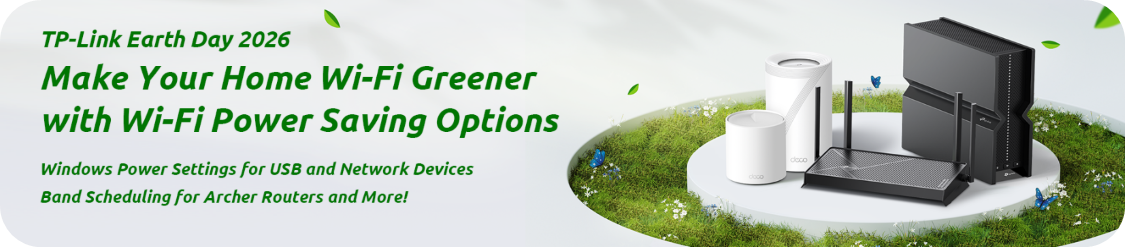
Make Your Home Wi-Fi Greener with Wi-Fi Power Saving Options
‒‒‒‒‒‒‒‒‒‒‒‒‒‒‒‒‒‒‒‒‒‒‒‒‒‒‒‒‒‒‒‒‒‒‒‒‒‒‒‒‒‒‒‒‒‒‒‒‒‒‒‒‒‒‒‒‒‒‒‒‒‒‒‒‒‒‒‒‒‒‒‒‒‒‒‒‒‒‒‒‒‒‒‒‒‒‒‒‒

Earth Day is also a great reminder that small, everyday choices can add up to meaningful impact. One often-overlooked area in the home is networking equipment. Routers and range extenders run 24/7, quietly supporting everything from smart lights to late-night streaming.
With compatible TP-Link Archer routers, you can take a smarter approach by scheduling Wi-Fi bands, setting schedules, and using ECO Mode, keeping performance where you need it while reducing unnecessary power use when you don’t.
How to Save Power by Scheduling Your Wi-Fi Bands
‒‒‒‒‒‒‒‒‒‒‒‒‒‒‒‒‒‒‒‒‒‒‒‒‒‒‒‒‒‒‒‒‒‒‒‒‒‒‒‒‒‒‒‒‒‒‒‒‒‒‒‒‒‒‒‒‒‒‒‒‒‒‒‒‒‒‒‒‒‒‒‒‒‒‒‒‒‒‒‒‒‒‒‒‒‒‒‒‒

If your Wi-Fi connection drops after sleep, reconnects slowly, or becomes unstable over time, Windows power-saving features may be affecting your network hardware. This can impact PCIe Wi-Fi cards, USB Wi-Fi adapters, and USB hubs alike.
Helpful Tips for Saving Power on USB and PCIe Devices
‒‒‒‒‒‒‒‒‒‒‒‒‒‒‒‒‒‒‒‒‒‒‒‒‒‒‒‒‒‒‒‒‒‒‒‒‒‒‒‒‒‒‒‒‒‒‒‒‒‒‒‒‒‒‒‒‒‒‒‒‒‒‒‒‒‒‒‒‒‒‒‒‒‒‒‒‒‒‒‒‒‒‒‒‒‒‒‒‒

We’re continuing to work closely with our product and development teams to prioritize the features that matter most to you. Through beta firmware opportunities, feedback threads, and community polls, your input is helping shape our platforms.
Recent discussions have covered topics like the Deco Heatmap open beta, SSID configuration types, PoE in home networks, connected device counts, and Wi-Fi generations used at home. More topics and polls are on the way, so stay tuned and keep sharing your feedback—it truly makes a difference.
Let Us Know What You Think – Community Feedback Drive
Latest Poll: What Generation is Your Wi-Fi?
‒‒‒‒‒‒‒‒‒‒‒‒‒‒‒‒‒‒‒‒‒‒‒‒‒‒‒‒‒‒‒‒‒‒‒‒‒‒‒‒‒‒‒‒‒‒‒‒‒‒‒‒‒‒‒‒‒‒‒‒‒‒‒‒‒‒‒‒‒‒‒‒‒‒‒‒‒‒‒‒‒‒‒‒‒‒‒‒‒
April New Firmware Features and Highlights
Pre-Release Firmware for Archer BE805 V1 Introduces Support for VPN Merge, New ECO Mode, Advanced USB Features ― This update introduces a range of New Features and Significant Improvements to its VPN and USB Features. We invite Archer BE805 V1 users to test this pre-release firmware and give us their feedback. Your input is important, and we're eager to learn about your experience. Learn more about this update in our Community Article
New Archer GE650 V1 Firmware Introduces AI-QoS, EasyMesh IoT Expansion, and More! ― This update introduces various new features, including AI-QoS and support for EasyMesh IoT network synchronization, along with several significant enhancements. We invite Archer GE650 V1 users to test this pre-release firmware and share their feedback. Try today and share your feedback by visiting our Forum Post.
Deco BE68 / BE67 / BE77 and BE13000 Firmware 1.3.0 Introduces DoH/DoT, Internet Backup, 6RD Connection ― This Pre-Release firmware introduces several new and advanced features, including DoH & DoT, 6RD Connection, Internet Backup, and more! We encourage community members with these models to install this firmware and share your feedback. Visit our Community Article to Learn More.
April Solutions
Archer BE230 V1 Fix for Wireless Connection Instability After Updating to 1.2.5 ― After receiving reports from users that upgrading the Archer BE230 V1 to firmware version 1.2.5 may result in wireless instability, including issues such as the 2.4GHz SSID disappearing, inability to connect, or successful connection but without Internet access, our R&D Team released a Beta Firmware to address these behaviors. If you have an Archer BE230 and are experiencing these conditions, we encourage you to install this Beta Firmware using the information in our Community Post.
For Additional information on The Latest Home Networking Firmware Updates, Visit Monthly Featured Firmware Updates (Updated May 14th, 2026)
‒‒‒‒‒‒‒‒‒‒‒‒‒‒‒‒‒‒‒‒‒‒‒‒‒‒‒‒‒‒‒‒‒‒‒‒‒‒‒‒‒‒‒‒‒‒‒‒‒‒‒‒‒‒‒‒‒‒‒‒‒‒‒‒‒‒‒‒‒‒‒‒‒‒‒‒‒‒‒‒‒‒‒‒‒‒‒‒‒
Previous Edition – March 2026
‒‒‒‒‒‒‒‒‒‒‒‒‒‒‒‒‒‒‒‒‒‒‒‒‒‒‒‒‒‒‒‒‒‒‒‒‒‒‒‒‒‒‒‒‒‒‒‒‒‒‒‒‒‒‒‒‒‒‒‒‒‒‒‒‒‒‒‒‒‒‒‒‒‒‒‒‒‒‒‒‒‒‒‒‒‒‒‒‒
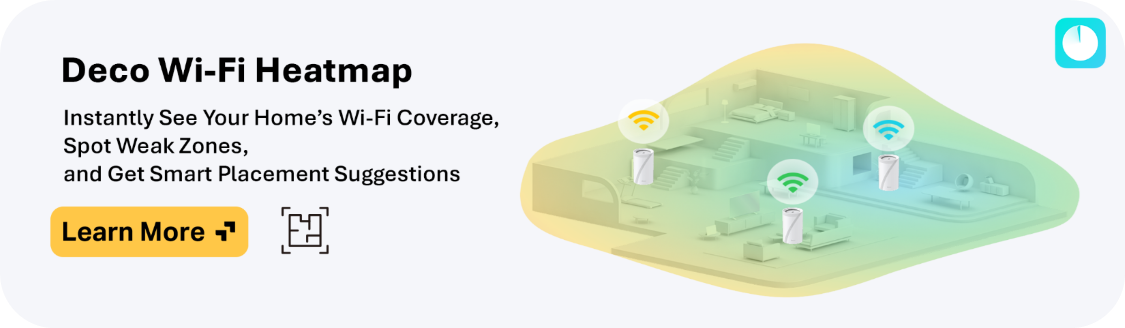
Deco Wi-Fi Heatmap – Visualize Your Home’s Wi-Fi Coverage, Identify Weak Zones, Get Smart Placement Suggestions
Deco Wi-Fi Heatmap gives you a clear, visual overview of your wireless coverage, making it easy to see where your signal is strong—and where it needs improvement. Use Heatmap's insights to decide whether to reposition an existing Deco or add a new one, so you can maintain smooth, reliable connectivity throughout your home.
Your feedback plays a critical role and directly helps our teams refine and improve Heatmap as development continues.
If you're interested in testing this feature, check out our Deco Heatmap Community Article for more details, including beta app download links:
Unlock Full Home Wi-Fi Coverage with Deco Heatmap — Try out the Open Beta Today!
‒‒‒‒‒‒‒‒‒‒‒‒‒‒‒‒‒‒‒‒‒‒‒‒‒‒‒‒‒‒‒‒‒‒‒‒‒‒‒‒‒‒‒‒‒‒‒‒‒‒‒‒‒‒‒‒‒‒‒‒‒‒‒‒‒‒‒‒‒‒‒‒‒‒‒‒‒‒‒‒‒‒‒‒‒‒‒‒‒

Exciting Opportunities are on the Horizon for our Home Networking Community, and Your Input is at the Center of it All!
Our team is working closely with product and development to prioritize the features you care about most. Over the coming weeks, we’ll be rolling out regular polls, surveys, and feedback threads—giving you the chance to share your experiences, voice your ideas, and help shape our platforms. Stay tuned, jump into the discussions, and let us know what’s working (and what’s not)—your feedback truly makes a difference!
Let Us Know What You Think – Community Feedback Drive
‒‒‒‒‒‒‒‒‒‒‒‒‒‒‒‒‒‒‒‒‒‒‒‒‒‒‒‒‒‒‒‒‒‒‒‒‒‒‒‒‒‒‒‒‒‒‒‒‒‒‒‒‒‒‒‒‒‒‒‒‒‒‒‒‒‒‒‒‒‒‒‒‒‒‒‒‒‒‒‒‒‒‒‒‒‒‒‒‒
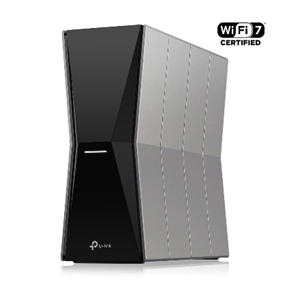
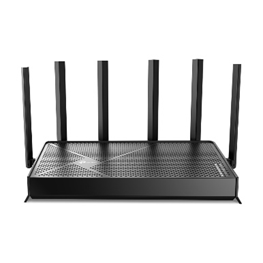
Archer BE670 and Archer BE770 Expand Access to Wi-Fi 7 Home Networking Options
Meet our latest Wi-Fi 7 routers, the Archer BE670 and BE770. Delivering ultra-fast speeds and reliable performance. The BE670 offers BE12000 tri-band connectivity, while the BE770 features BE18000 tri-band and dual 10G ports
- Wi-Fi 7 Technology for next-generation wireless speeds
- Tri-Band Connectivity for smoother performance across multiple devices
- Multi-Link Operation (MLO) lets Wi‑Fi 7 devices send data over several bands at once.
- Easy Setup and Management through the Tether App
Learn More About These New Wi-Fi 7 Routers in our Community Articles:
Archer BE670 ― BE12000 Tri-Band Wi-Fi 7 Router
Archer BE770 ― BE18000 Tri-Band Wi-Fi 7 Router With Dual 10G Connectivity
‒‒‒‒‒‒‒‒‒‒‒‒‒‒‒‒‒‒‒‒‒‒‒‒‒‒‒‒‒‒‒‒‒‒‒‒‒‒‒‒‒‒‒‒‒‒‒‒‒‒‒‒‒‒‒‒‒‒‒‒‒‒‒‒‒‒‒‒‒‒‒‒‒‒‒‒‒‒‒‒‒‒‒‒‒‒‒‒‒
Archer GE800 Official Firmware Update 1.3.3 Introduces AI QoS with One-Click Acceleration, Dynamic Bandwidth Detection, Intelligent Traffic Prioritization, and More!
AI QoS is designed to revolutionize your online gaming experience. Leveraging artificial intelligence, our new feature set transforms the way your router manages bandwidth, ensuring seamless performance across all your applications.
- One-Click Acceleration lets you Enjoy fast gaming instantly—no complicated setup required.
- Dynamic Bandwidth Detection Monitors network conditions to prevent congestion and keep your connection smooth.
- Enhanced QoS Optimization Reduces gaming lag, even on busy networks.
- Intelligent Traffic Prioritization Automatically prioritizes your apps for optimal gaming, streaming and video calls
For Full Details on AI QoS and its Features visit our Community Article
‒‒‒‒‒‒‒‒‒‒‒‒‒‒‒‒‒‒‒‒‒‒‒‒‒‒‒‒‒‒‒‒‒‒‒‒‒‒‒‒‒‒‒‒‒‒‒‒‒‒‒‒‒‒‒‒‒‒‒‒‒‒‒‒‒‒‒‒‒‒‒‒‒‒‒‒‒‒‒‒‒‒‒‒‒‒‒‒‒
Previous Edition – February 2026
‒‒‒‒‒‒‒‒‒‒‒‒‒‒‒‒‒‒‒‒‒‒‒‒‒‒‒‒‒‒‒‒‒‒‒‒‒‒‒‒‒‒‒‒‒‒‒‒‒‒‒‒‒‒‒‒‒‒‒‒‒‒‒‒‒‒‒‒‒‒‒‒‒‒‒‒‒‒‒‒‒‒‒‒‒‒‒‒‒
Introducing the M8550 – 5G Wi-Fi 6E Mobile Router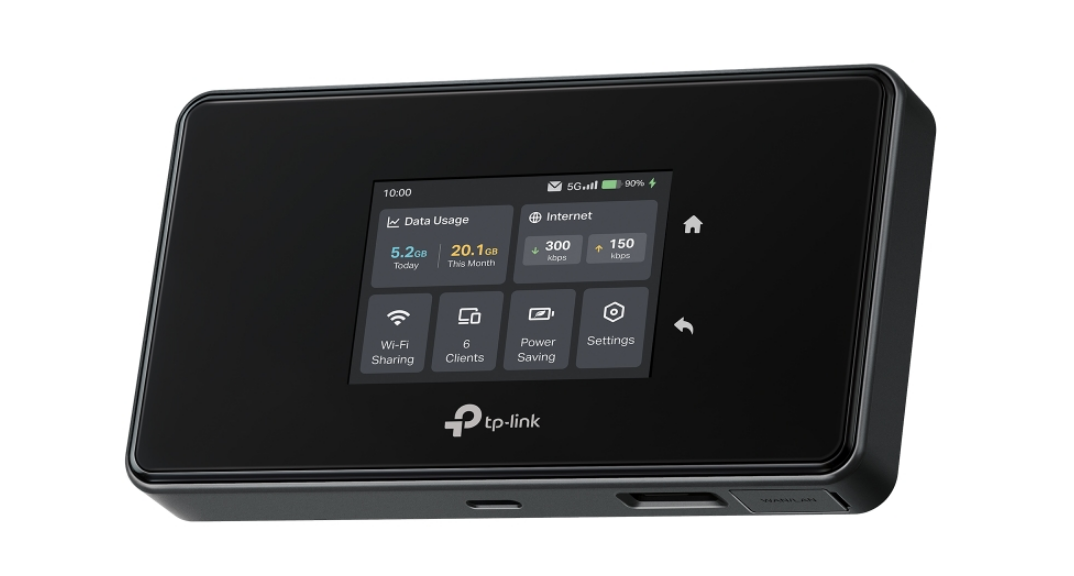
The M8550 brings the revitalization of our mobile networking lineup, combining 5G cellular connectivity with Wi-Fi 6E support.
Designed for users who need fast, flexible internet access on the go, the M8550 brings Tri-Band Wireless performance to mobile and temporary networking scenarios, at home or on-the-go.
Interested in Reliable, Mobile Wi-Fi? Check out what the M8550 has to Offer!
‒‒‒‒‒‒‒‒‒‒‒‒‒‒‒‒‒‒‒‒‒‒‒‒‒‒‒‒‒‒‒‒‒‒‒‒‒‒‒‒‒‒‒‒‒‒‒‒‒‒‒‒‒‒‒‒‒‒‒‒‒‒‒‒‒‒‒‒‒‒‒‒‒‒‒‒‒‒‒‒‒‒‒‒‒‒‒‒‒
Wire More Devices from a Single Cable with the EH210 Gigabit Ethernet Splitter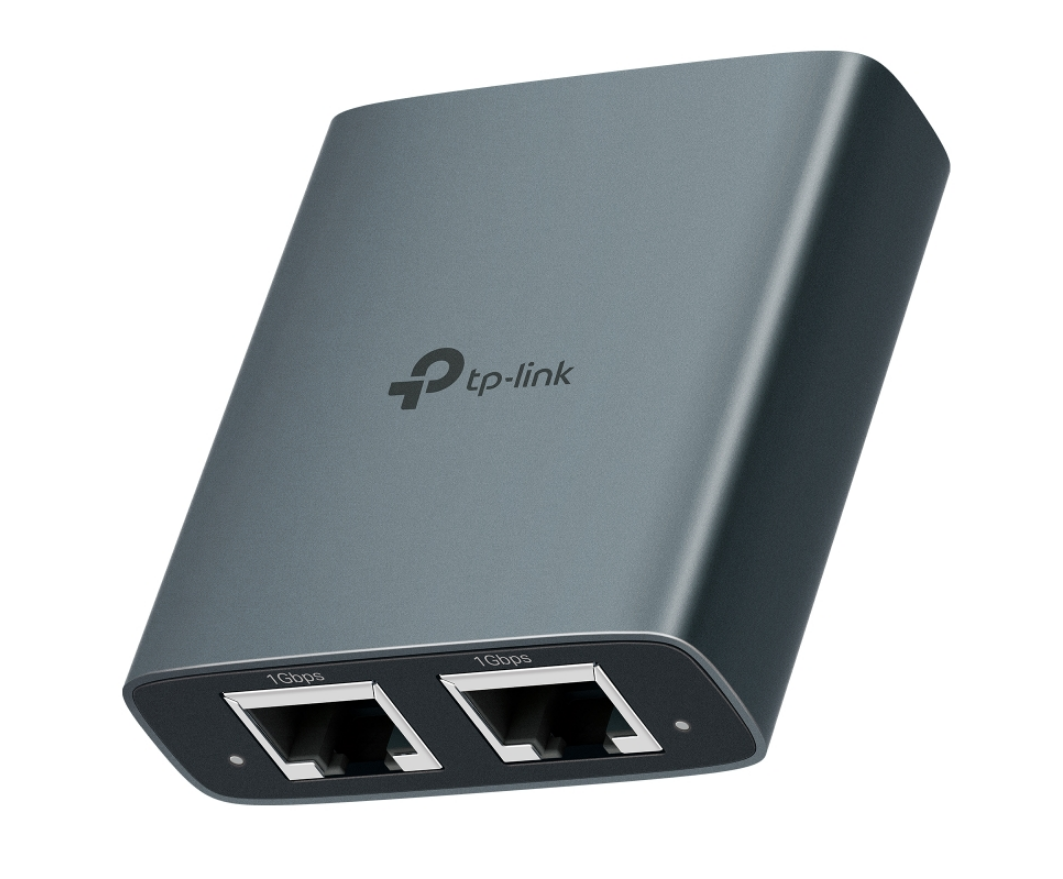
The EH210 Gigabit Ethernet Splitter offers a simple way to expand wired connectivity when Ethernet ports are limited—from home entertainment setups and work‑from‑home desks to wired security cameras.
With features like USB‑C power, durable aluminum construction, LED status indicators, and a space‑saving design, the EH210 can simplify your wired network
‒‒‒‒‒‒‒‒‒‒‒‒‒‒‒‒‒‒‒‒‒‒‒‒‒‒‒‒‒‒‒‒‒‒‒‒‒‒‒‒‒‒‒‒‒‒‒‒‒‒‒‒‒‒‒‒‒‒‒‒‒‒‒‒‒‒‒‒‒‒‒‒‒‒‒‒‒‒‒‒‒‒‒‒‒‒‒‒‒

Convenient USB 3.0 to SD & MicroSD Card Readers ― Meet the UA430 Series
The UA430 Series offers compact, high-speed USB 3.0 access to SD and microSD cards with a portable yet robust design providing fast, direct access to removable storage without bulky adapters or extra drivers.
Designed for efficient photo transfers, file backups, and content creation, these plug-and-play card readers support standard formats and work seamlessly with PCs and laptops.
See how our UA430 Card Reader Series can Help Simplify Storing and Transferring Files
‒‒‒‒‒‒‒‒‒‒‒‒‒‒‒‒‒‒‒‒‒‒‒‒‒‒‒‒‒‒‒‒‒‒‒‒‒‒‒‒‒‒‒‒‒‒‒‒‒‒‒‒‒‒‒‒‒‒‒‒‒‒‒‒‒‒‒‒‒‒‒‒‒‒‒‒‒‒‒‒‒‒‒‒‒‒‒‒‒
Poll: What Do You Use a VPN For on Your Network?
VPN features are increasingly common on home routers, but users rely on them for different reasons. Our community poll invites users to share how they use VPNs on their network and see how others are taking advantage of these tools.
Cast Your Vote and See How Others Make Use of VPN Technology in Various Scenarios
‒‒‒‒‒‒‒‒‒‒‒‒‒‒‒‒‒‒‒‒‒‒‒‒‒‒‒‒‒‒‒‒‒‒‒‒‒‒‒‒‒‒‒‒‒‒‒‒‒‒‒‒‒‒‒‒‒‒‒‒‒‒‒‒‒‒‒‒‒‒‒‒‒‒‒‒‒‒‒‒‒‒‒‒‒‒‒‒‒
Try Out Our Upcoming Firmware for the Archer BE400 V1 – Support for IPv6 VPN, Wake On LAN, and More!
Users who want early access can now try an upcoming firmware build for the Archer BE400 V1.
This pre-release version includes new features and improvements, allowing the community to test functionality and share feedback ahead of the official rollout.
For full details, including where to download, visit our Community Article.
‒‒‒‒‒‒‒‒‒‒‒‒‒‒‒‒‒‒‒‒‒‒‒‒‒‒‒‒‒‒‒‒‒‒‒‒‒‒‒‒‒‒‒‒‒‒‒‒‒‒‒‒‒‒‒‒‒‒‒‒‒‒‒‒‒‒‒‒‒‒‒‒‒‒‒‒‒‒‒‒‒‒‒‒‒‒‒‒‒
Beta for Abnormal NAT Loopback Behavior on Deco BE63 / BE65 / BE11000 V2 When Using Firmware 1.2.10, 1.3.0
There is an ongoing firmware beta to investigate reports of abnormal NAT loopback behavior on select Deco models running official firmware version 1.2.10 and pre-release version 1.3.0 (Heatmap beta testers can expect an updated beta containing this fix in the coming weeks).
Participants can help test potential fixes and provide feedback to improve future firmware releases;
Beta for Abnormal NAT Loopback Behavior on Deco BE63/65/11000 V2
‒‒‒‒‒‒‒‒‒‒‒‒‒‒‒‒‒‒‒‒‒‒‒‒‒‒‒‒‒‒‒‒‒‒‒‒‒‒‒‒‒‒‒‒‒‒‒‒‒‒‒‒‒‒‒‒‒‒‒‒‒‒‒‒‒‒‒‒‒‒‒‒‒‒‒‒‒‒‒‒‒‒‒‒‒‒‒‒‒
Previous Edition – January 2026
‒‒‒‒‒‒‒‒‒‒‒‒‒‒‒‒‒‒‒‒‒‒‒‒‒‒‒‒‒‒‒‒‒‒‒‒‒‒‒‒‒‒‒‒‒‒‒‒‒‒‒‒‒‒‒‒‒‒‒‒‒‒‒‒‒‒‒‒‒‒‒‒‒‒‒‒‒‒‒‒‒‒‒‒‒‒‒‒‒
Highlights and Featured Firmware Updates (Updated February 6th, 2026)
As a reminder, this is a project from our community team and requires us to review each firmware update – please consider this when asking for updates and confirming compatibility.
You can find our team’s highlights below:
Deco Heatmap (Beta)
Enhanced EasyMesh Support for Archer BE550 V2 (Pre-Release)
Feature-Packed Updates for the Archer BE800 V1 and Archer BE900 V2 (Pre-Release)
Looking for a Detailed List of our Team's Firmware Update Highlights from January? Check out our Knowledge Base Article
Curious about the Latest Firmware News for Tapo and Kasa? Check out our Monthly Featured Smart Home Updates
*The most accurate and official notes will always be on your device’s support page – we may be able to reach out for compatibility, but it is not often readily available.
‒‒‒‒‒‒‒‒‒‒‒‒‒‒‒‒‒‒‒‒‒‒‒‒‒‒‒‒‒‒‒‒‒‒‒‒‒‒‒‒‒‒‒‒‒‒‒‒‒‒‒‒‒‒‒‒‒‒‒‒‒‒‒‒‒‒‒‒‒‒‒‒‒‒‒‒‒‒‒‒‒‒‒‒‒‒‒‒‒

aireal – Introducing a Smarter Wi-Fi Experience
View our Official aireal™ Landing Page for More Information: Say Hello to Aireal, TP-Link AI Assistant for Home
aireal™ is TP-Link’s AI Assistant who works across the entire ecosystem, from networking to smart home devices. Aireal helps you take care of your home, stay connected to what matters, and keep your network running smoothly – all through simple, natural conversation.
From learning how your home connects, adapting in real time, and fixing slowdowns before you ever notice them, you can think of aireal as your always-ready home expert who brings clarity and ease to every day, so your home network feels effortless.
Learn More About TP-Link’s aireal in our Official Community Story
‒‒‒‒‒‒‒‒‒‒‒‒‒‒‒‒‒‒‒‒‒‒‒‒‒‒‒‒‒‒‒‒‒‒‒‒‒‒‒‒‒‒‒‒‒‒‒‒‒‒‒‒‒‒‒‒‒‒‒‒‒‒‒‒‒‒‒‒‒‒‒‒‒‒‒‒‒‒‒‒‒‒‒‒‒‒‒‒‒
Introducing Deco Heatmap – See Your Home’s Wi-Fi Coverage Like Never Before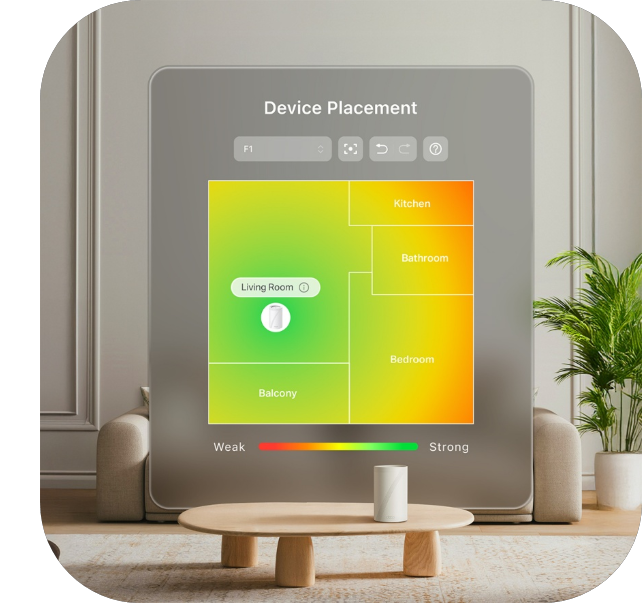
Limited Early Access ― Feedback Welcome!
Say goodbye to frustrating dead zones and buffering. The Deco App’s Wi-Fi Heatmap provides a clear, visual overview of your home’s wireless coverage, pinpointing exactly where your signal is strong and where it needs improvement.
This straightforward tool helps you easily interpret your network’s actual coverage and make informed decisions about your Wi-Fi setup.
Unlock Full Home Coverage with Deco Heatmap — Try Now & Share Your Feedback!
‒‒‒‒‒‒‒‒‒‒‒‒‒‒‒‒‒‒‒‒‒‒‒‒‒‒‒‒‒‒‒‒‒‒‒‒‒‒‒‒‒‒‒‒‒‒‒‒‒‒‒‒‒‒‒‒‒‒‒‒‒‒‒‒‒‒‒‒‒‒‒‒‒‒‒‒‒‒‒‒‒‒‒‒‒‒‒‒‒
Expand your Connectivity With USB-C, HDMI, SD/microSD, Ethernet, and More
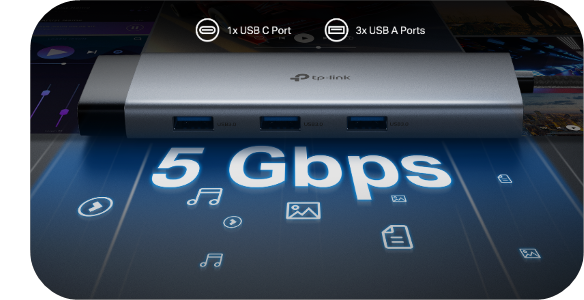
USB hubs have traditionally been a flexible solution for expanding USB peripherals. However, given the variety of modern USB devices and the decreasing number of ports on compact, ultraportable laptops, it’s beneficial for users to have a simple way to connect USB devices while also accessing storage, network, and video output through a single 5 Gbps USB-C connection.
Introducing TP-Link's newest USB Hub Accessories — offering HDMI connectivity up to 4K @60Hz, TF card slots, USB-A and USB-C connectivity (including USB-C PD), a durable aluminum alloy chassis, and a self-storing braided connector cable in a convenient, pocket-sized form factor with Plug and Play Compatibility.
New USB-C Hubs for Versatile Connectivity
Choosing the Right TP-Link USB Hub Accessory for Your Needs
‒‒‒‒‒‒‒‒‒‒‒‒‒‒‒‒‒‒‒‒‒‒‒‒‒‒‒‒‒‒‒‒‒‒‒‒‒‒‒‒‒‒‒‒‒‒‒‒‒‒‒‒‒‒‒‒‒‒‒‒‒‒‒‒‒‒‒‒‒‒‒‒‒‒‒‒‒‒‒‒‒‒‒‒‒‒‒‒‒
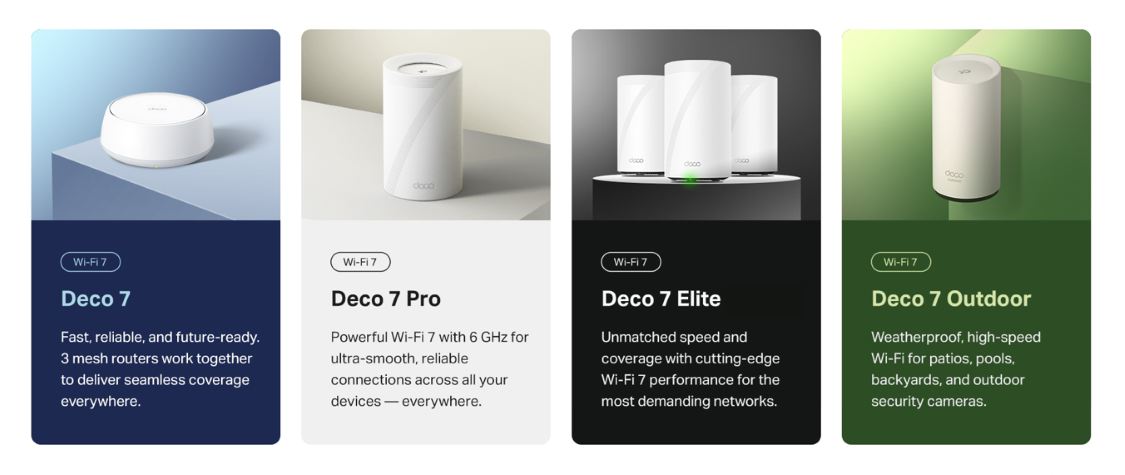
Next-Gen Wi-Fi 7 Made Easy ― Meet Deco 7
Deco 7 brings faster speeds, stronger whole-home coverage, and simple app-guided control ― all working together to make your home feel effortlessly connected.
- Built-In HomeShield Security helps protect all your Deco devices with smart security features at home or on the go — including parental controls, real-time threat protection, and network insights for everyday peace of mind.
- Hands-Free Voice Control brings the convenience of Amazon Alexa or Google Assistant-enabled devices to control your Deco system with simple voice commands, making it easy to manage your Wi-Fi hands-free.
- All Deco devices work together to form one seamless mesh network. Expand your Wi-Fi coverage anytime by adding more Decos to keep every corner of your home connected.