
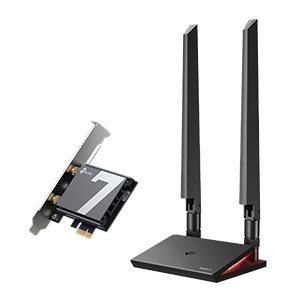
Adapters
Welcome to your dedicated space for all discussions concerning TP-Link's diverse range of Wireless Adapters. Here, you can find and share information on topics like selecting the right adapter for your device, driver installation and updates, optimizing your connection, and understanding advanced features such as specific Wi-Fi standards (e.g., Wi-Fi 7) and antenna configurations. Feel free to ask questions, share your expertise, and enjoy getting the most out of your TP-Link Wi-Fi adapters!
Adapters

Our teams have been looking to improve the performance and stability of a variety of our USB Adapters. While this does not look towards a specific behavior, this firmware uses the latest Realtek AX/AX
Windows 11Windows 10Official
2Helpful
3124Views

Welcome to CES 2026! Our teams have been working over the last year to streamline your home network experience. Wi-Fi 7 is more widely available than ever with our accessible lineup of Wi-Fi 7 Mesh Sy
1Helpful
2620Views
What is PoE? What Power-Over Ethernet Can Do For Your Home Topics in This Article: PoE Standards, Power Delivery and Necessary Connections for each PoE standard, Hardware Options With the addition of
By
 Riley_S
Riley_S0Helpful
5914Views

My computer thinks my UB400 is a headset called "dongle". How do I fix this?
By
JaydenH
· Latest post 2022-11-02 09:58:52
by Subho24062006
110Helpful
87265Views

hello, i just purchased this adapter for testing purposes on my network ( normally i have 10g wired connection ) i have the tp link wifi 7 router. i can connect other devices to the 6ghz wifi without
0Helpful
391Views
Hey Everyone, We have received reports that when a Game Controller (such as PSVR2 controllers) is connected via a Bluetooth adapter, it may fail to reconnect to the computer after either the computer
BluetoothHighlighted ThreadOfficial
By
Ryan
Ryan1Helpful
191Views

Our office got 6x new Dell computers. When the UB500 adapter is installed the Dell computer will not power on or boot normally. We get a slow blinking white light on the power button. 1) Unplugging th
Windows 11Bluetooth
7Helpful
1953Views

As others have posted, even though TP-Link advertises that the UB500 USB Bluetooth dongle supports Bluetooth LE, the drivers do not allow for it to be enabled in Windows 11. When is TP-Link going to f
Windows 11
1Helpful
202Views

This is similar to a previous topic, with Archer T3U USB adapter (hardware version V1) dropping connection repeatedly. In my case, this started happening after Windows 11 updated the driver via a Real
Windows 11
1Helpful
2353Views

Hello, I just purchased and plugged in the adapter. Once I plugged it in, I don't see a shortcut of the device on my desktop. It did show up in the Device Manager and it said device working properly.
Windows 11
1Helpful
273Views

After seeing several internet references about using the Archer T2U Plus in Monitor Mode on Windows 11, I purchased one. Install drivers from TP-Link support download site. But it appears that this ad
Windows 11T2U
0Helpful
1225Views
I want to update the drivers, but am not sure how to do it, as they seem to be in an unusual format. I've thought about doing it by replacing the drivers on the CD and using that to install the driver
Windows 11
1Helpful
278Views