
Early Access Deco X50/X55_V1.3_1.3.1 Introduced Channel Selection, WiFi Access Control and WireGuard VPN
 This thread has been locked for further replies. You can start a new thread to share your ideas or ask questions.

Update on Feb 2nd, 2026:
The official version for Deco X50/X55_V1.30, 1.3.1 Build 20251122, has been released publicly.
Deco firmware release is gradually rolled out. Users might detect this new firmware at various times. Please pay attention to the Deco App new firmware notification as well as local official websites.
We will manually lock this post to better focus on discussions regarding the new firmware. If you have any further questions, please start a new thread to provide feedback.
--------------------------------------------------------------------------------
Hey Everyone,
We’re excited to introduce a new firmware update for the Deco X50/X55_V1.30/V1.33, packed with powerful new features and enhancements designed to elevate your Deco Mesh Home Networking experience.
This Article Applies to:
Deco X50(US/KR) / Deco X55(US/CA)_V1.30/V1.33
Modifications and Enhancements:
New Features
- Supported Channel Selection.
- Supported Internet Backup via Hotspot Backup and Hybrid-Mesh Backup Mode.
- Added DoH/DoT under Deco APP>More>Advanced.
- Supported 20MHz/40MHz automatic bandwidth selection to enhanced 2.4GHz WiFi performance.
- Supported WireGuard VPN Server/Client.
- Supported built-in easy configuration of NordVPN/Surfshark VPN.
***In compliance with local regulations, the Third-party VPN feature may be restricted to specific regions.
- Added client speed limit under clients' detailed setting page.
- Supported Fixing the WAN port under Deco APP>More>Advanced>WAN Port.
- Added Scene Priority under QOS.
- Added Client MAC Identification to improve the accuracy of device detection.
- Added Firmware Auto Update.
- Supported Matter
- Advanced Parental Control subscription added APP block/App Time Limits feature, which supports 2000+ applications.
- Added Camera Security
- Added Whitelist/ Wi-Fi Access Control
- Added notification for Ethernet connection speed.
- Supported Captive Portal for Guest Network
Enhancements
- Optimized the collaboration with Tapo smart devices.
- Updated HomeShield Parental Control service.
- Improved network stability and system security.
Firmware Download Link
Deco X50/X55_V1.30/V1.33 |
1.3.1_build_20251122_Beta |
Update Notice:
- Please be sure you have read the Beta Test Agreement before upgrading the Pre-release firmware!
- Please make sure the Deco APP is up-to-date.
- This firmware can’t be degraded directly to the previous 1.2.10 version.
- How to manually update the firmware via web UI.
As always, we value your feedback. If you happen to encounter any concerns during or after the firmware upgrade, please feel free to comment below with the following information. Your input helps us continue to improve and provide the best possible products and support.
- Provide a detailed network layout, including how the devices are connected.
- Include a detailed description of the issue and as much information as possible regarding the specific conditions that seem to trigger the behavior.
Thank you for your continued support and for being part of our community.
- Copy Link
- Subscribe
- Bookmark
- Report Inappropriate Content

@David-TP is there any other version of firmware for hardware version v1.3
- Copy Link
- Report Inappropriate Content

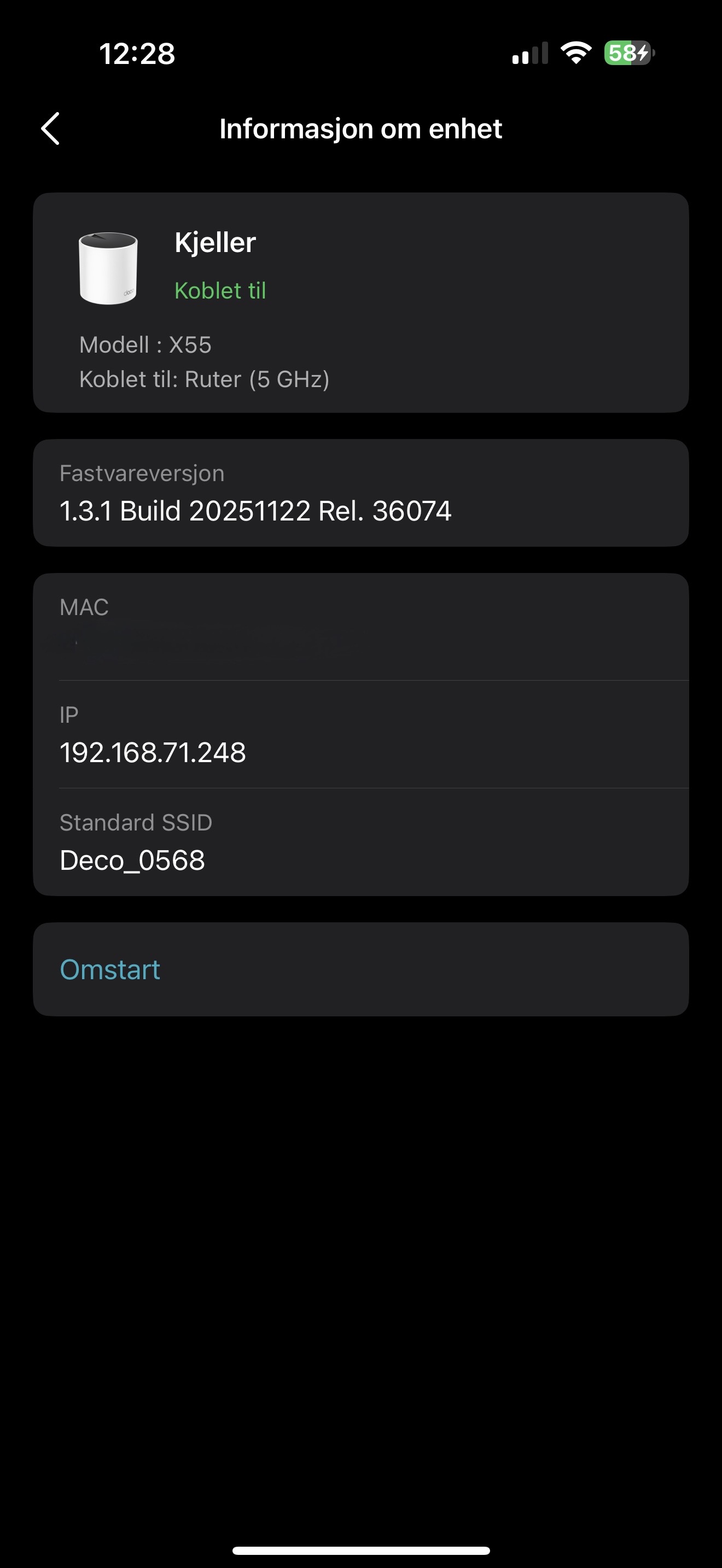 I've used a three-pack of X55's with the new firmware in router mode but they have a strange bug where the two nodes only connect to the main deco at 5ghz. After a few reboots they connect at both 2,4ghz and 5ghz but after a short while they fall back to only 5ghz.
The signal strength is always weak when only connected to the main node at 5ghz, even with the node in the same room as the main Deco. They seem to work fine though.
I also have a Deco M5 connected but removing it doesn't seem to make a difference.
- Copy Link
- Report Inappropriate Content

@andrenb You can turn off High Capacity Mode from Deco App.
- Copy Link
- Report Inappropriate Content
Hi, it is also recommended to help me submit the Deco App log here:How to submit Deco APP log
Can I also have some screenshots of the network map on the Deco App, such as:
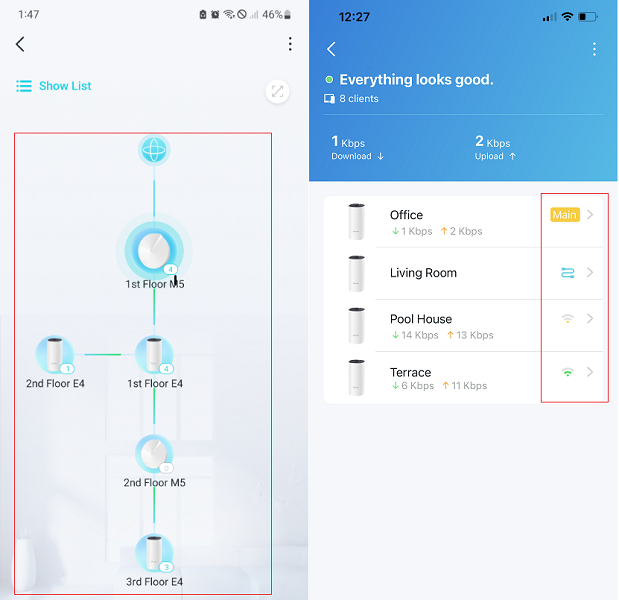
Wait for your reply.
Best regards.
- Copy Link
- Report Inappropriate Content

Where can this option be found? I don't see it
- Copy Link
- Report Inappropriate Content
@Jackdm You can find this option in Advanced then go to Wireless Network Mode.
- Copy Link
- Report Inappropriate Content
- Copy Link
- Report Inappropriate Content

That's my first 24 hours with this new firmware. Everything is working very well. 
The manual 5g/2.4ghz channel choice is a fantastic new feature and increase the quality of wireless signal (with less neighboors noise). 

I dont know if this is as bug (image bellow), but i notice in 5ghz radio, only a range from low channels between: 36-64. Is this correct? (I live in Brazil, and FCC and anatel allow the 5ghz high channels (100-161))
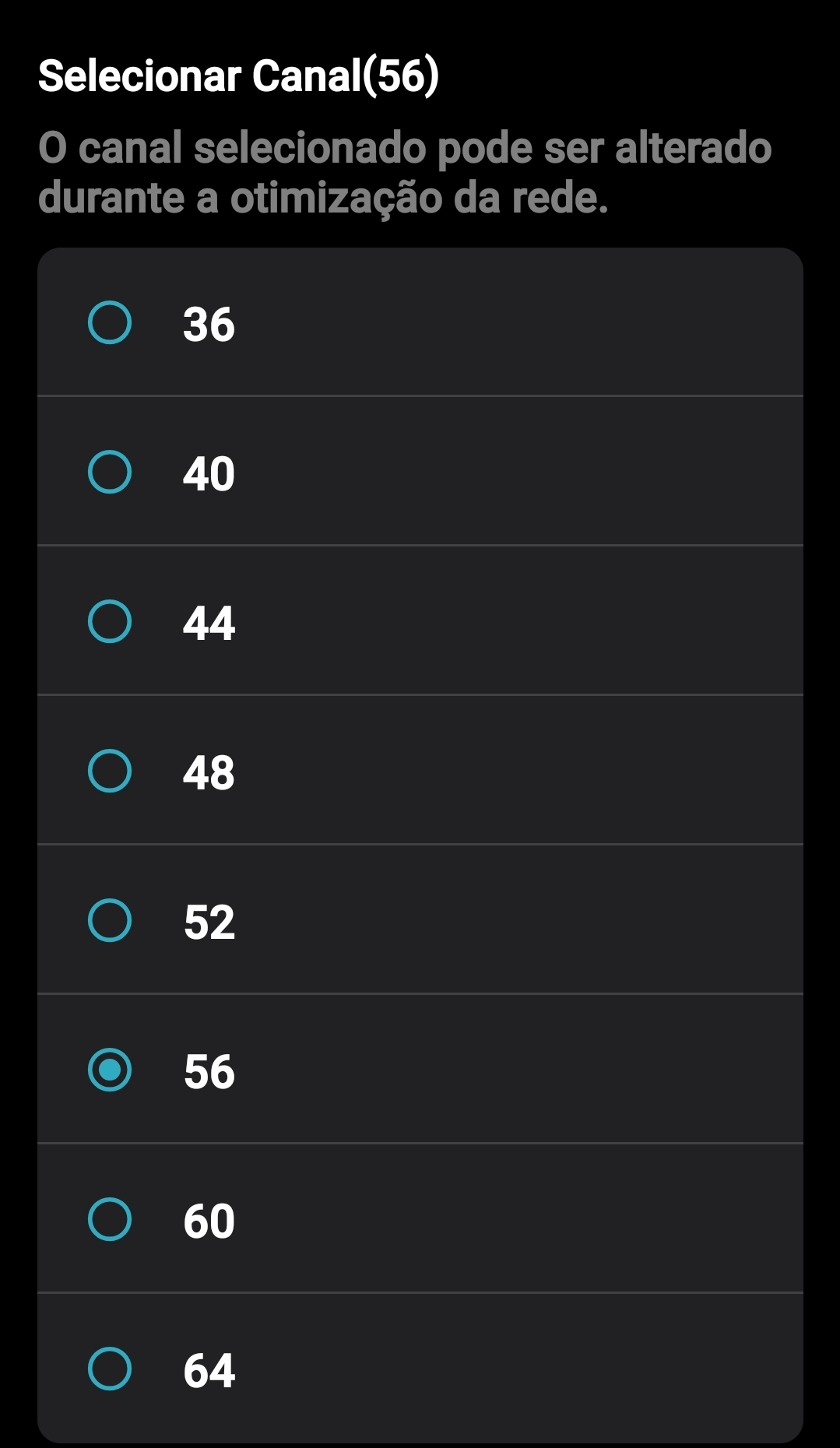
For help tp-link engineers, i do a full reset on my network (i use only one deco as main router) and search for errors on system log, the only errors the firmware notice is bellow:
Thu Dec 25 01:34:22 2025 daemon.err uhttpd[3186]: Using -iter or -pbkdf2 would be better.
Thu Dec 25 01:34:22 2025 daemon.err uhttpd[3186]: *** WARNING : deprecated key derivation used.
Thu Dec 25 01:34:22 2025 daemon.err uhttpd[3186]: Using -iter or -pbkdf2 would be better.
Thu Dec 25 01:34:22 2025 daemon.err uhttpd[3186]: *** WARNING : deprecated key derivation used.
Thu Dec 25 01:34:22 2025 daemon.err uhttpd[3186]: Using -iter or -pbkdf2 would be better.
Thu Dec 25 01:34:23 2025 daemon.err uhttpd[3186]: *** WARNING : deprecated key derivation used.
Thu Dec 25 01:34:23 2025 daemon.err uhttpd[3186]: Using -iter or -pbkdf2 would be better.
Thu Dec 25 01:35:38 2025 daemon.err uhttpd[3186]: *** WARNING : deprecated key derivation used.
I belive this is not errors, but just "warnings".
Thanks, David and all tp-link engineers for all support!
- Copy Link
- Report Inappropriate Content
Hi, thanks for the update.
How about the 5GHz bandwidth? Is it on 160MHz?
Best regards.
- Copy Link
- Report Inappropriate Content

@David-TP we are highly pleased having released a new firmware updates for Tplink Deco x50 & added new vital features. But " Speed limit" option doesn't work. Please solve the issue. We are eagerly waiting for the solution & official stable update.
Thanking
Osman Gani
Bangladesh
- Copy Link
- Report Inappropriate Content
Information
Helpful: 11
Views: 24328
Replies: 132
Voters 3


