Deco X50/X55_V1.3_1.8.2 Expanded the Client Connection Detail and Added ECO Mode, VPN Kill Switch

Deco X50/X55_V1.3_1.8.2 Expanded the Client Connection Detail and Added ECO Mode, VPN Kill Switch

Deco X50/X55_V1.3_1.8.2 Expanded the Client Connection Detail and Added ECO Mode, VPN Kill Switch
Yesterday - last edited Yesterday

Hey Everyone,

We’re excited to introduce a new firmware update for the Deco X50/X55_V1.30/V1.33, packed with powerful new features and enhancements designed to elevate your Deco Mesh Home Networking experience.

 
This Article Applies to:

Deco X50(US/KR) / Deco X55(US/CA)_V1.30/V1.33


Modifications and Enhancements:

  • Streamlined TP-Link Simple Setup process.
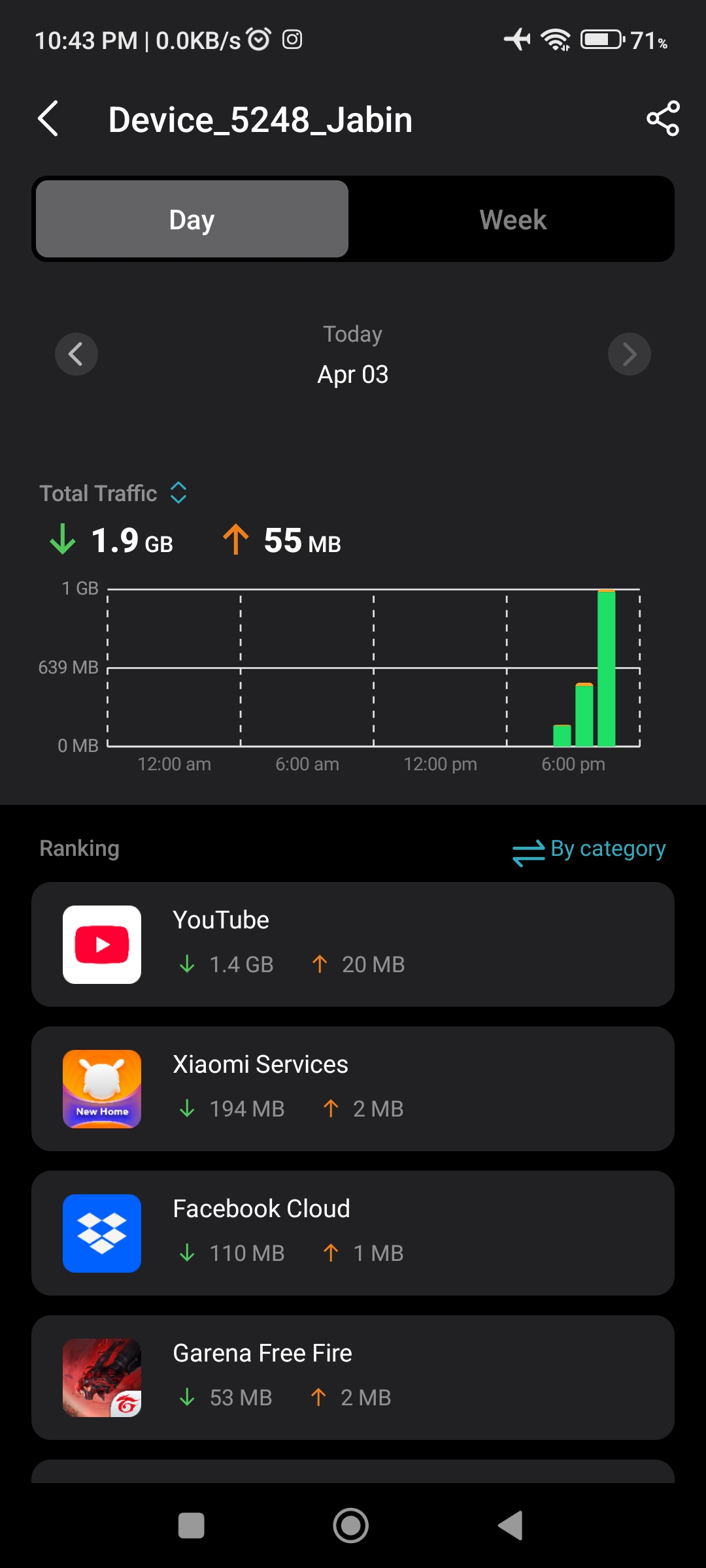
  • Added Traffic Usage for online clients and optimized real-time information display on the Deco App, including wireless standard/bandwidth/encryption and online time.
  • Added ECO Mode
  • Added the VPN Kill Switch
  • Optimized the Configuration Backup feature for a smoother device migration operation
  • Improved 2.4GHz mesh performance and overall networking experience.
  • Improved Overall System Security & Stability


Firmware Download Link:

Deco X50/X55_V1.30/V1.33

1.8.2_build_20260401_rel_35041_Beta

Update Notice:

  • This beta firmware version number, as well as the future official version, has been adjusted to 1.8.x to align and streamline software release management with Deco X50/X55_V1.0/V1.6 going forward.
  • Please make sure the Deco APP is up-to-date.
  • This firmware can’t be degraded directly to the previous version. A firmware recovery is required to revert to the official 1.3.1 version.
  • How to manually update the firmware via web UI.


As always, we value your feedback. If you happen to encounter any concerns during or after the firmware upgrade, please feel free to comment below with the following information. Your input helps us continue to improve and provide the best possible products and support.

  • Provide a detailed network layout, including how the devices are connected.
  • Include a detailed description of the issue and as much information as possible regarding the specific conditions that seem to trigger the behavior.


Thank you for your continued support and for being part of our community.

  0      
  0      
#1
Options
12 Reply
Re:Deco X50/X55_V1.3_1.8.2 Expanded the Client Connection Detail and Added ECO Mode, VPN Kill Switch
Yesterday

  @David-TP Okay 

Sayeem Ahmed from Bangladesh
  1  
  1  
#2
Options
Re:Deco X50/X55_V1.3_1.8.2 Expanded the Client Connection Detail and Added ECO Mode, VPN Kill Switch
Yesterday

  @David-TP 

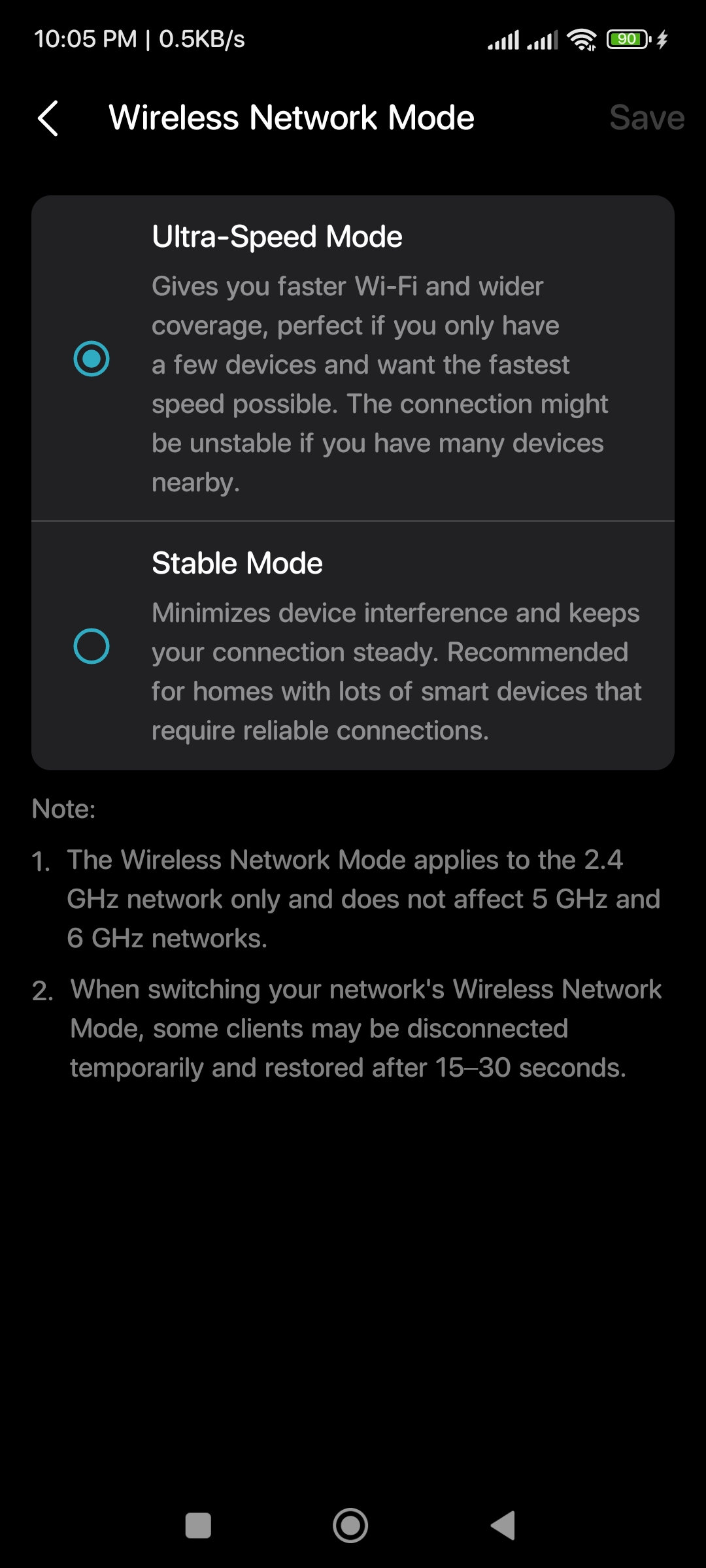
I have total 15-17 devices all time connected. 3-4 5ghz devices & others 2.4ghz devices including iot. My router sarounded by many wireless signals. Which mode best for me? Because lots of meaning how much devices? My main unit deco M5 & satellite unit deco X50. 

Thanks in advance ☺️ 

  2  
  2  
#3
Options
Re:Deco X50/X55_V1.3_1.8.2 Expanded the Client Connection Detail and Added ECO Mode, VPN Kill Switch
Yesterday - last edited Yesterday

  @David-TP Brother, thank you very much.


Rakibul islam

From Bangladesh ♥️♥️♥️♥️♥️


  1  
  1  
#4
Options
Re:Deco X50/X55_V1.3_1.8.2 Expanded the Client Connection Detail and Added ECO Mode, VPN Kill Switch
Yesterday

  @Abedur hi. Where you find that sett

  0  
  0  
#5
Options
Re:Deco X50/X55_V1.3_1.8.2 Expanded the Client Connection Detail and Added ECO Mode, VPN Kill Switch
19 hours ago

  @rakib_5056802 Wow that's a nice feature. I will gonna buy Deco X50 very soon now.

Please & Thank You !! ❤️
  0  
  0  
#6
Options
Re:Deco X50/X55_V1.3_1.8.2 Expanded the Client Connection Detail and Added ECO Mode, VPN Kill Switch
18 hours ago

  @David-TP Why are Eco Mode V1 and V2 not provided in X50v1.3?

Sayeem Ahmed from Bangladesh
  0  
  0  
#7
Options
Re:Deco X50/X55_V1.3_1.8.2 Expanded the Client Connection Detail and Added ECO Mode, VPN Kill Switch
15 hours ago

  @SayeemAhmed 


When you get a chance can you go into the deco app and click on more and provide a screenshot of all the options you see also click on systems and provide a screenshot of that screen as well thanks. 

Need help with the Deco app, setup, Ethernet backhaul, network switch or rolling back firmware? Router or AP mode? https://community.tp-link.com/us/home/forum/topic/699816?page=1
  0  
  0  
#8
Options
Re:Deco X50/X55_V1.3_1.8.2 Expanded the Client Connection Detail and Added ECO Mode, VPN Kill Switch
12 hours ago

  @David-TP  Hello,


Will you provide a firmware for v1.2. We are waiting for so long :(

  0  
  0  
#9
Options
Re:Deco X50/X55_V1.3_1.8.2 Expanded the Client Connection Detail and Added ECO Mode, VPN Kill Switch
10 hours ago

  @SayeemAhmed Eco Mode is available in this firmware.

Please & Thank You !! ❤️
  0  
  0  
#10
Options
Re:Deco X50/X55_V1.3_1.8.2 Expanded the Client Connection Detail and Added ECO Mode, VPN Kill Switch
8 hours ago

  @Shantanu16 

At advance option.

@David-TP 

Please explain about wireless network mode. Actually ultra mode 40hz standard mode 20hz something like that? I'm find any difference between ultra mode vs standard mode. My all 2.4ghz devices working same ultra mode vs standard mode.

Thanks in advance ☺️ 


  0  
  0  
#11
Options