
Abnormal battery drain

Hello!
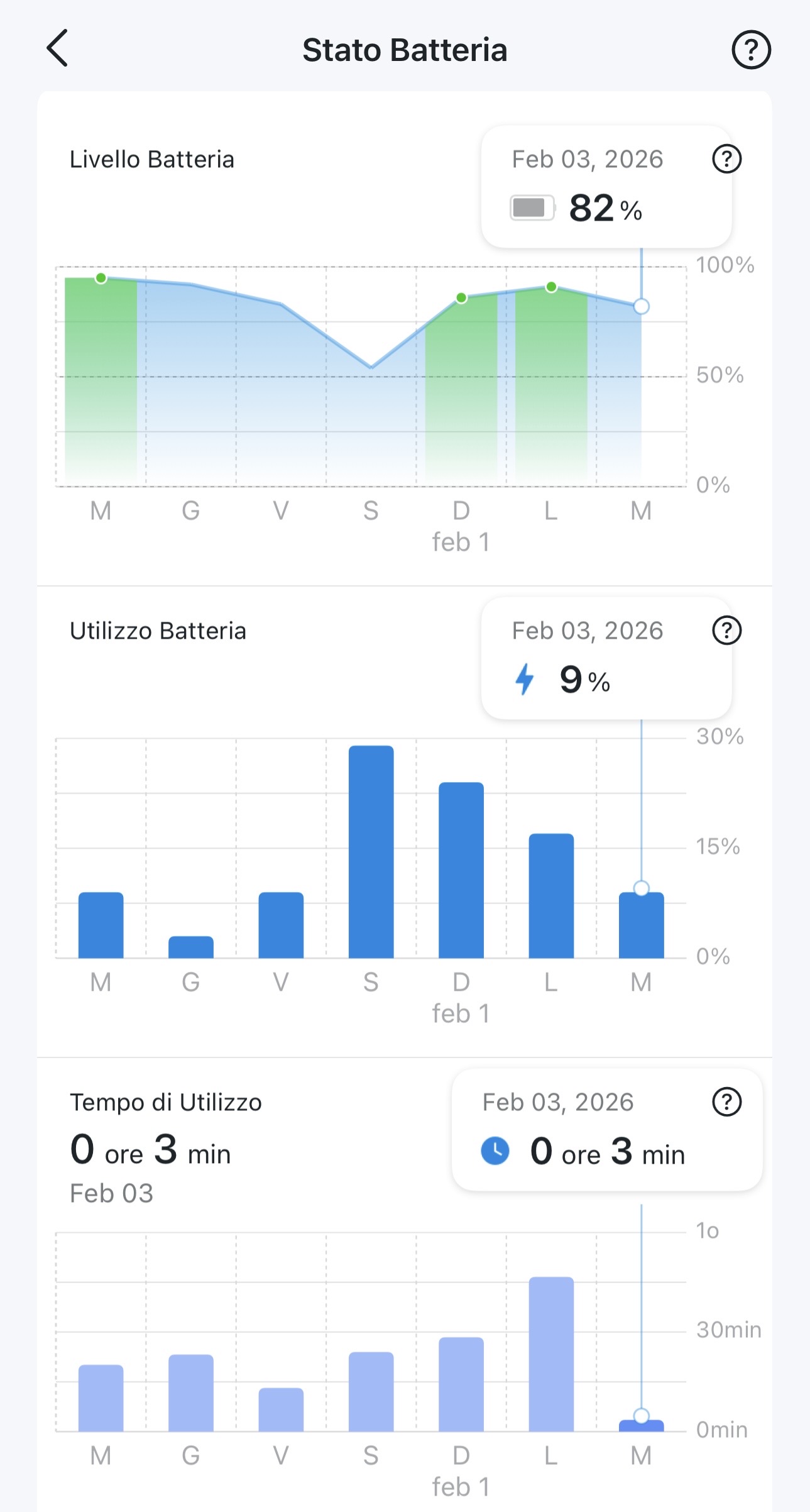
As I wrote in a previous thread, I have a C410 camera and in the last 3–4 days it has been draining the battery in a way I can’t explain.
Two days ago I mounted a solar panel, but since then the weather has been cloudy and rainy, so it hasn’t really been able to charge the battery.
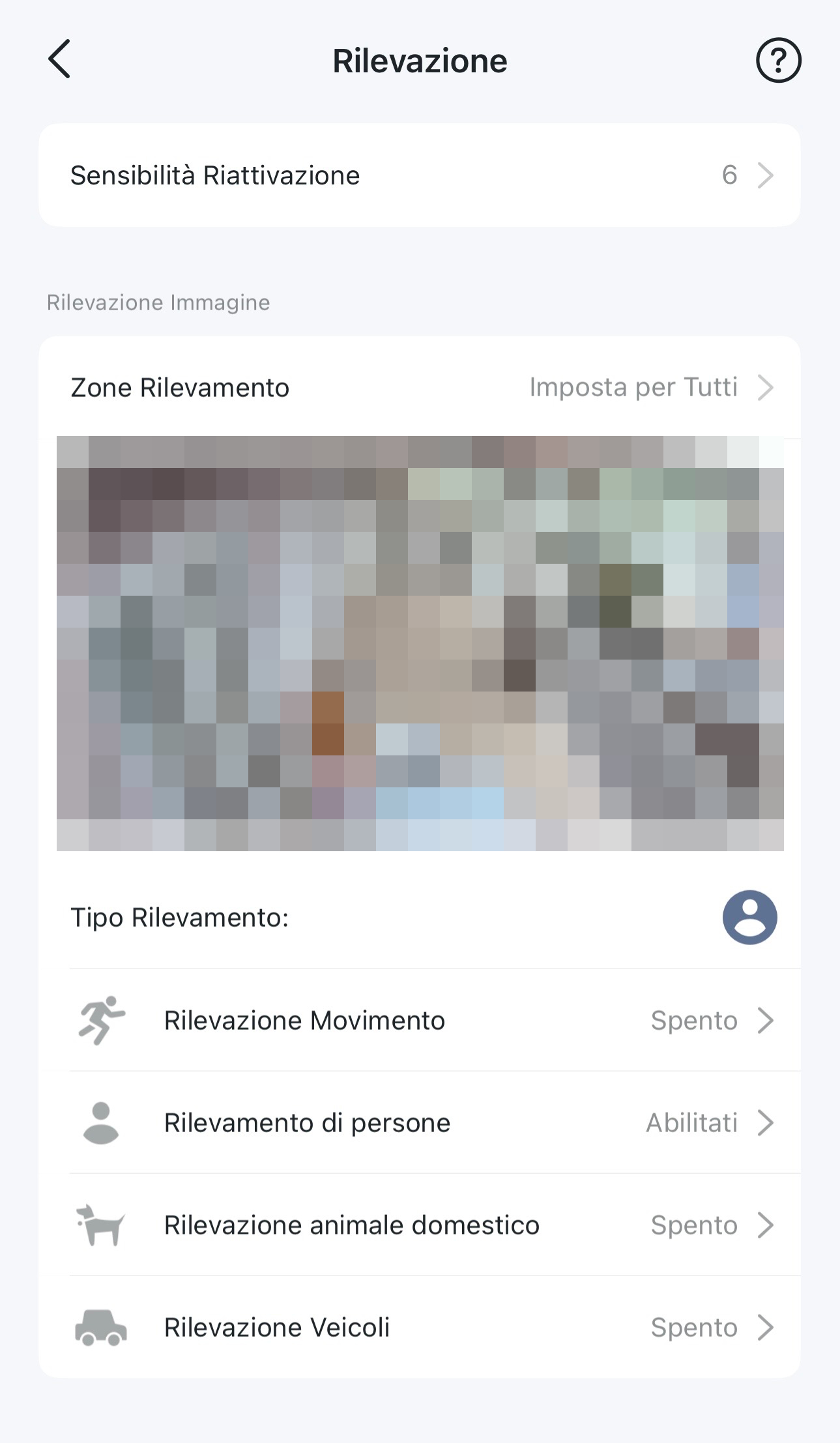
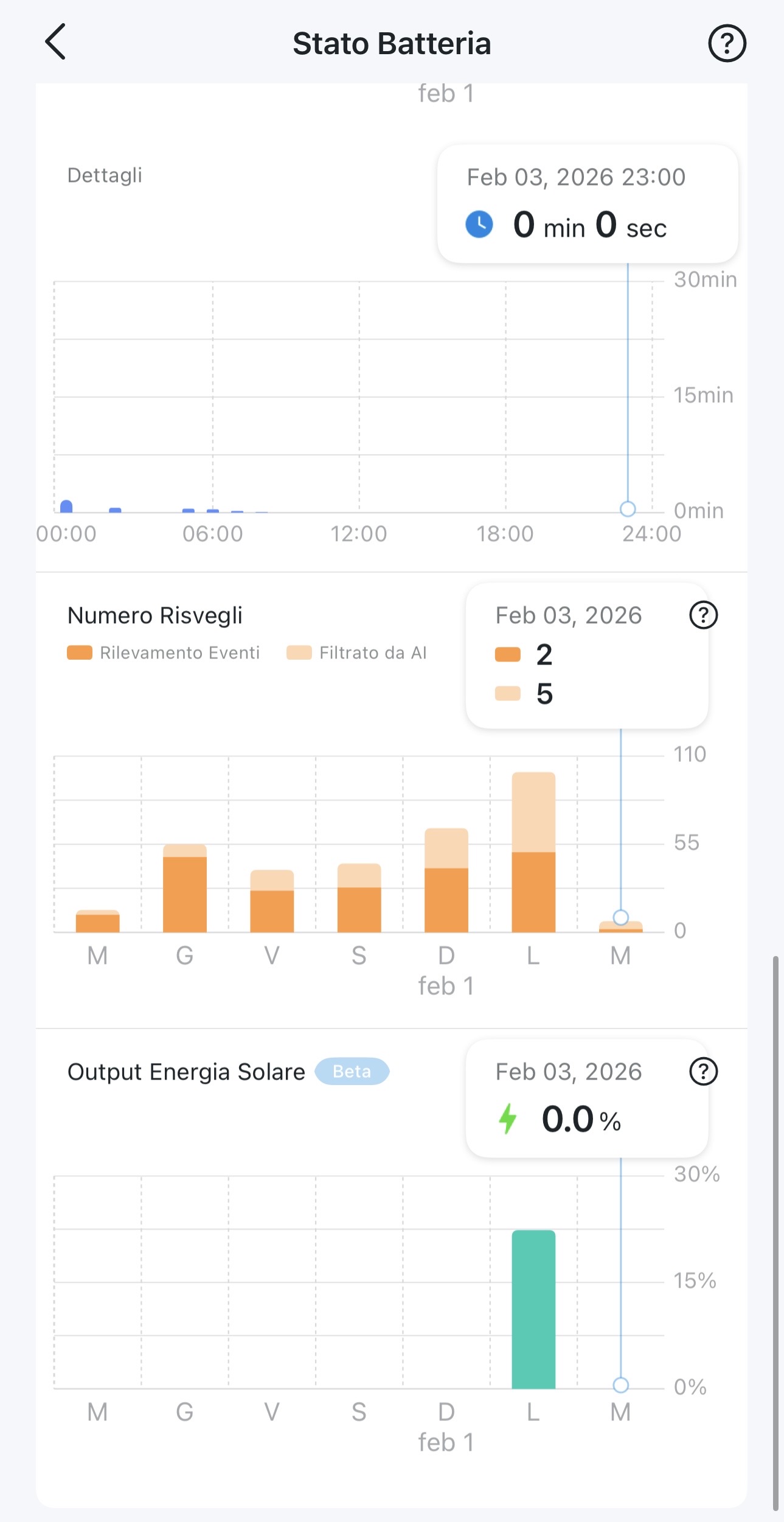
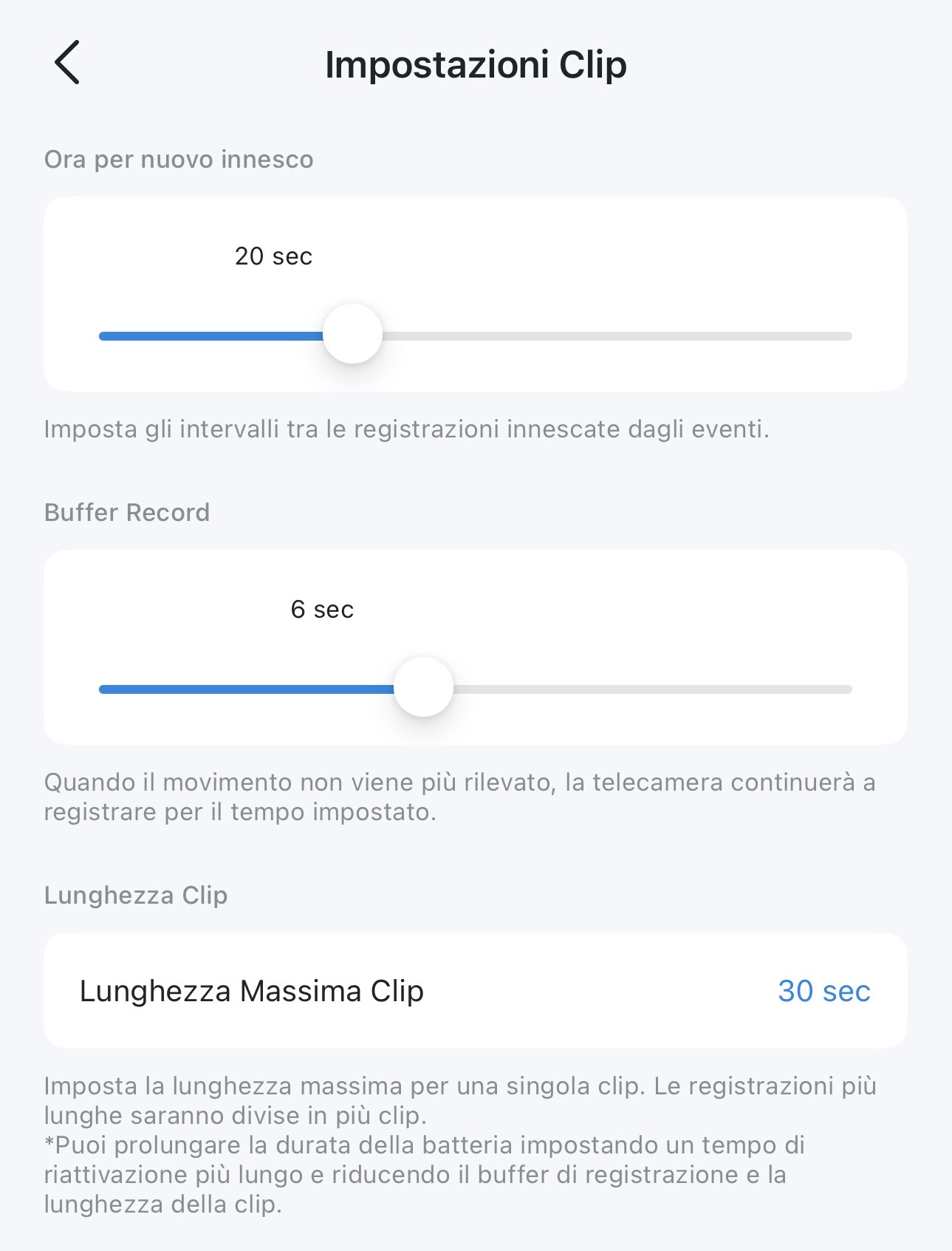
Here are the battery stats and the other settings that could influence battery life. Don’t mind the charging chart, because it’s from regular wall charging.
This situation is honestly driving me crazy, because I can’t understand how it can use so much energy without any triggers or even AI-filtered events.
Thank you!
- Copy Link
- Subscribe
- Bookmark
- Report Inappropriate Content


Hi,
For the reported phenomenon, please refer to the instructions below to troubleshoot. For example, in the provided pictures, the wake-up times are high on Feb 1 and Feb 2, and the battery usage is also high. This is usual. You can also adjust other settings to see if the instruction helps.
What to do if the battery drains quickly on my Tapo battery-powered camera/doorbell?
The -128 dBm is a very weak signal strength. If the camera shows a -68 dBm signal after rebooting, please test for a while to see if it works properly.
Regards
- Copy Link
- Report Inappropriate Content
I want to share another thing: I checked the Wi-Fi signal strenght and indeed it was a bit high (-128 RSSI).
I rebooted the Wi-Fi and it lowered to -68 RSSI (almost half the previous value).
Now I'm going to to keep it checked to see if this could be the main issue.
I remember a few days ago, when I had connection issues, I changed the 2.4 GHz channel. Since than I had no more problems, but, don't know if it's a case, I noticed this battery drain. Could be that
- Copy Link
- Report Inappropriate Content
Hi,
For the reported phenomenon, please refer to the instructions below to troubleshoot. For example, in the provided pictures, the wake-up times are high on Feb 1 and Feb 2, and the battery usage is also high. This is usual. You can also adjust other settings to see if the instruction helps.
What to do if the battery drains quickly on my Tapo battery-powered camera/doorbell?
The -128 dBm is a very weak signal strength. If the camera shows a -68 dBm signal after rebooting, please test for a while to see if it works properly.
Regards
- Copy Link
- Report Inappropriate Content
Since then, the battery seems to be behaving normally.
The Wi-Fi signal remains around -65 dBm.
Unfortunately, this morning the camera went offline again (as the C210 did), and I had to turn the Wi-Fi off and on.
I wish there were some kind of notification that warns when cameras go offline; it would be very useful.
On the other hand, the solar panel still couldn’t charge the battery because the weather was cloudy until 1 p.m.
When the sun finally came out, it was already outside the panel’s range.
- Copy Link
- Report Inappropriate Content
Hi,
If you can move the camera and the router closer, please try it. The -65 dBm indicates that the Wi-Fi signal strength received by the camera is generally average. If there are any obstacles between the camera and the router, please try removing them.
Regarding the offline notification feature request, we suggest voting and leaving your use case in the thread "Why there is no offline notification for tapo cameras?" for evaluation.
Your solar panel seems to work ok, if it fails to charge the camera when sunlight is sufficient, the following instructions may help.
What can I do if the Tapo battery-powered cameras fail to charge?
Best Regards
- Copy Link
- Report Inappropriate Content
Finally, this morning the sun decided to come out. At first, the camera wasn’t receiving any power.
Then I checked all the plugs and realized that the one between the panel and the extension cable wasn’t properly connected. After securing it firmly, it started providing power.
Almost charged 10% in a couple of hours.
- Copy Link
- Report Inappropriate Content
Hi,
Thank you for the update. If the camera and solar panel are working now, you can keep monitoring for some time. Please feel free to reply if you need assistance.
Best Regards
- Copy Link
- Report Inappropriate Content
Information
Helpful: 0
Views: 938
Replies: 6
Voters 0
No one has voted for it yet.