
Early Access Pre-release Firmware for Archer AX53/AX58 Supports EasyMesh in AP Mode, Ethernet Backhaul, ECO Mode
 This thread has been locked for further replies. You can start a new thread to share your ideas or ask questions.

Updated on Oct 23th, 2025:
The official version 1.4.3 Build 20250314 is gradually rolling out, and users can check for updates on the AX58's web interface or through the Tether App and install the latest version. We strongly recommend upgrading to this version to improve the overall experience.
Updated on Jun 3, 2025:
The official version 1.4.3 Build 20250314 is gradually rolling out, and users can check for updates on the AX53's web interface or through the Tether App and install the latest version. We strongly recommend upgrading to this version to improve the overall experience.
Users can also get a direct download link of the new version from the website as follows:
https://www.tp-link.com/support/download/archer-ax53/v1/#Firmware
This thread will be locked for further comments then. Please start a new thread to open a discussion if you have any questions.
---------------------------------------------------------------------------------------------------------------------------------------
Hello Everyone,
We're thrilled to announce the release of the pre-release firmware for Archer AX53/AX58 V1. This firmware update introduces several exciting new functions and improvements to enhance your experience including Ethernet Backhaul, EasyMesh in AP mode, Satellite Router Management, ECO Mode, etc. We encourage you to try out this version of firmware and take advantage of the following features. Your feedback and suggestions are greatly appreciated.
New Features and Modifications:
1. Added Ethernet Backhaul for EasyMesh.
2. Added EasyMesh feature in AP mode.
3. Enhanced EasyMesh Satellite Router Management via satellite router web interface.
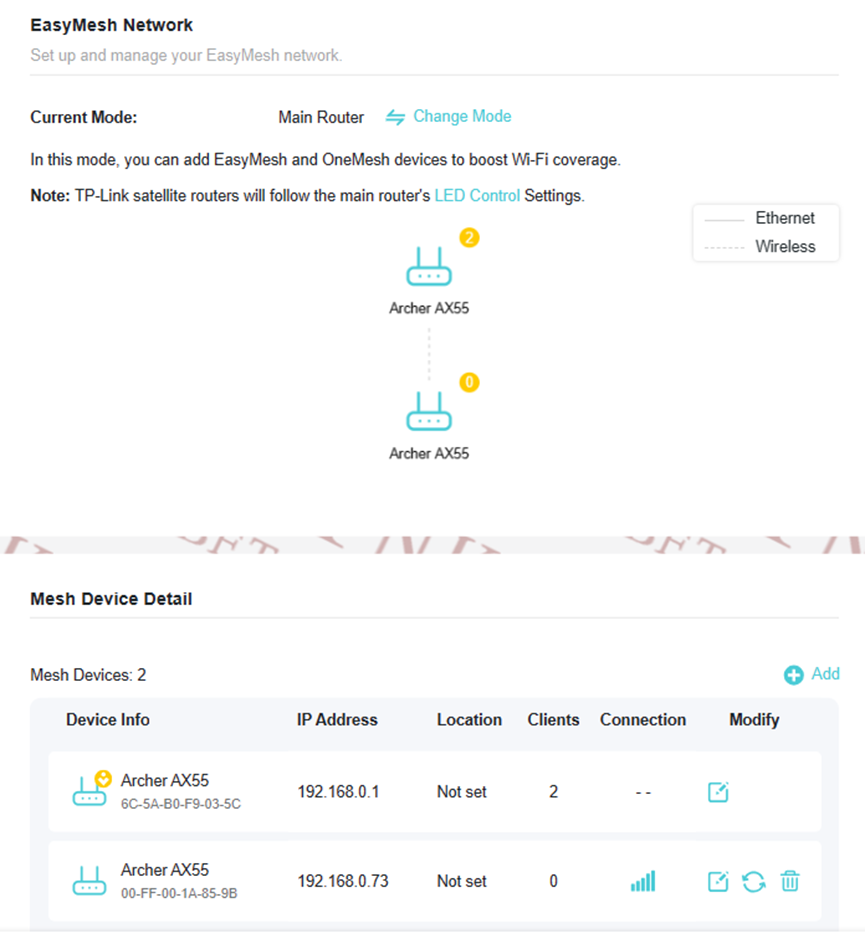
4. Added EasyMesh Network Topology to gain a clear understanding of your EasyMesh network's structure.
5. Added ECO mode on Advanced->System->ECO Mode page.
When working in Power-Saving Mode or Ultra Power-Saving Mode, your router will reduce the power consumption to save power, please note that your network speed and coverage will be reduced as well.

6. Added IoT Network.
7. Enhanced Wi-Fi Schedule to enjoy more flexibility by setting separate schedules for 2.4GHz and 5GHz Wi-Fi bands.

8. Added isolation of Guest Network and Main Network in AP mode.
9. Added Language options on the top of the web interface.
10. Added support for VPN Client.
11. Added support for WireGuard.
12. Added OpenVPN Server TAP Mode. Introducing TAP Mode in OpenVPN Server for AX55 V1 Router
Note: It requires your OpenVPN Client supporting TAP Mode as well, or you will not be able to connect the VPN Server successfully
13. Added new functions to the Tether App: EasyMesh, OpenVPN Server/Client, Eco Mode, Wireless Schedule, Guest Portal Network
Note: please use the new Tether App to experience those new features: New UI for 11AX Routers on Tether App 4.3 version is Ready for Trial


14. Added User Experience Improvement Program (UEIP).
Participate in our UEIP during the Quick Setup process, or enable/disable it later on the Advanced->System->About page. Your feedback will help us enhance the product.

15. Improved client type identification accuracy.
16. Optimized the overall system stability and performance.
Firmware Download:
Before the Upgrade
(1) IMPORTANT!: Once upgraded to the 1.4.x firmware, you CANNOT downgrade back to the 1.3.x or 1.2.x version.
(2) Please be sure you have read the Beta Test Agreement before upgrading the pre-release firmware!
(3) For the sake of insurance, it's always recommended to save a copy of the router Backup Config file before upgrading or downgrading.
(4) This pre-release firmware for Archer AX53/AX58 V1 can be applied to all versions (EU/US/AU/KR/etc.).
(5) You may follow the guide to upgrade the firmware of your router. How to Upgrade the Firmware on the TP-Link Wi-Fi Routers.
(6) The screenshots in this article are taken from the web GUI or Tether App of Archer AX55 V1 for reference.
Direct Firmware Download Link
| Archer AX53/AX58_V1 | Archer AX53/AX58_V1_1.4.3 Build 20250314 (Pre-release Firmware) UPDATED |
Additional Information
As always, we value your feedback. If somehow you encounter an issue during or after the router firmware upgrade, it's suggested to comment below with the following info. Your input helps us continue improving and providing the best products and support.
- Provide a detailed network layout, including how the devices are connected, especially if there are EasyMesh satellite devices.
- Detailed issue description, and provide more information on the specific conditions that seem to trigger the problem.
Thank you for your continued support and for being part of our community.
Update Log
Apr 11th, 2025:
Update to provide a new 1.4.3 pre-release version.
Related Articles
Product List of Wi-Fi Routers that Support EasyMesh Ethernet Backhaul
What is EasyMesh and how does it work with TP-Link routers and extenders?
EasyMesh Is Available When Wi-Fi Routers Work in AP Mode as A Controller
How to Build an Ethernet Backhaul Using Two EasyMesh Routers
Introducing TAP Mode in OpenVPN Server for AX55 V1 Router
New UI for 11AX Routers on Tether App 4.3 version is Ready for Trial
- Copy Link
- Subscribe
- Bookmark
- Report Inappropriate Content
Thanks for the detailed information.
To assist and figure it out efficiently, I've forwarded your case to the TP-Link support engineers, who will contact you with your registered email address later. Please pay attention to your email box for follow-up.
- Copy Link
- Report Inappropriate Content
GuyK wrote
I gotta say that this is not what I read or interpet from the text.
I.e.
It would be what you mean if it would say: "Make sure your router supports EasyMesh. A firmware update may be req...."
But it is what it is (and it's unfortunate).
@GuyK Sorry for the confusing information shown on the configuration app.
- Copy Link
- Report Inappropriate Content
- Copy Link
- Report Inappropriate Content

Hi everyone!
There is any bug with this version related to the network speed?
I have a 1 Gbps internet connection. I notice that, using this firmware version, the speed is reduced (most of the time to 300-400 Mbps). If i connect directly by Ethernet to the ISP router or another router, the speed is OK (~950 Mbps).
I also discover that, if i enable Flow Controller in the "LAN", for RX and TX, i can get a little more "juice" (around 500-600 Mbps), but is still lower that when using other router/firmware.
Try restore the default settings, but no change. Also, the issue is not related with the "devices" connected, since i done the test without any device connected to the router (only the PC where i do the speedtest).
Thanks!
- Copy Link
- Report Inappropriate Content

DJPRMF wrote
Hi everyone!
There is any bug with this version related to the network speed?
I have a 1 Gbps internet connection. I notice that, using this firmware version, the speed is reduced (most of the time to 300-400 Mbps). If i connect directly by Ethernet to the ISP router or another router, the speed is OK (~950 Mbps).
I also discover that, if i enable Flow Controller in the "LAN", for RX and TX, i can get a little more "juice" (around 500-600 Mbps), but is still lower that when using other router/firmware.
Try restore the default settings, but no change. Also, the issue is not related with the "devices" connected, since i done the test without any device connected to the router (only the PC where i do the speedtest).
Thanks!
@DJPRMF you are correct, i just checked mine also lower than usual 
I hope they will fix it on the next pre-release update and hopefully tp-link will add DoH/DoT feature as well 
- Copy Link
- Report Inappropriate Content

Hi@DJPRMF,
Thank you for contacting our community.
May I know what is the model of your router?
Is your network topology diagram as follows:
ISP router—Archer AX58/AX53—other routers )))((( client devices
(Note: — stands for wired connection,)))((( stands for wireless connection )
Is it the speed slow on the wired connection or wireless connection? Please collect the link speed which may help us locate the issue faster:
How to check the associated/link speed on a wired client
How to check the associated/link speed on a wireless client
Thank you.
- Copy Link
- Report Inappropriate Content
@Joseph-TP Hi,
Is a Archer AX58 v1.
The network topology is ISP ONT > TP-Link archer
The issue happens when using cable or wifi.
Thanks
- Copy Link
- Report Inappropriate Content
Not sure if related to THIS firmware or not,
but 5GHz DFS wifi channels don't work.
These are my 5GHz wifi settings (running with it throughout save and reboot):
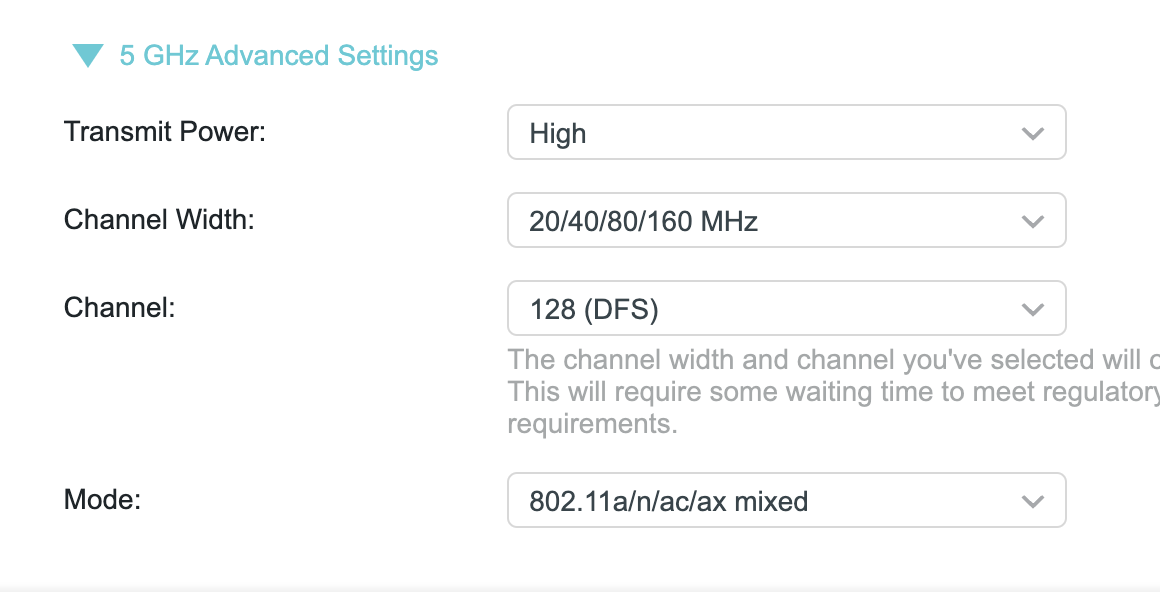
Nonetheless, the WIFI channel appearing is 44...
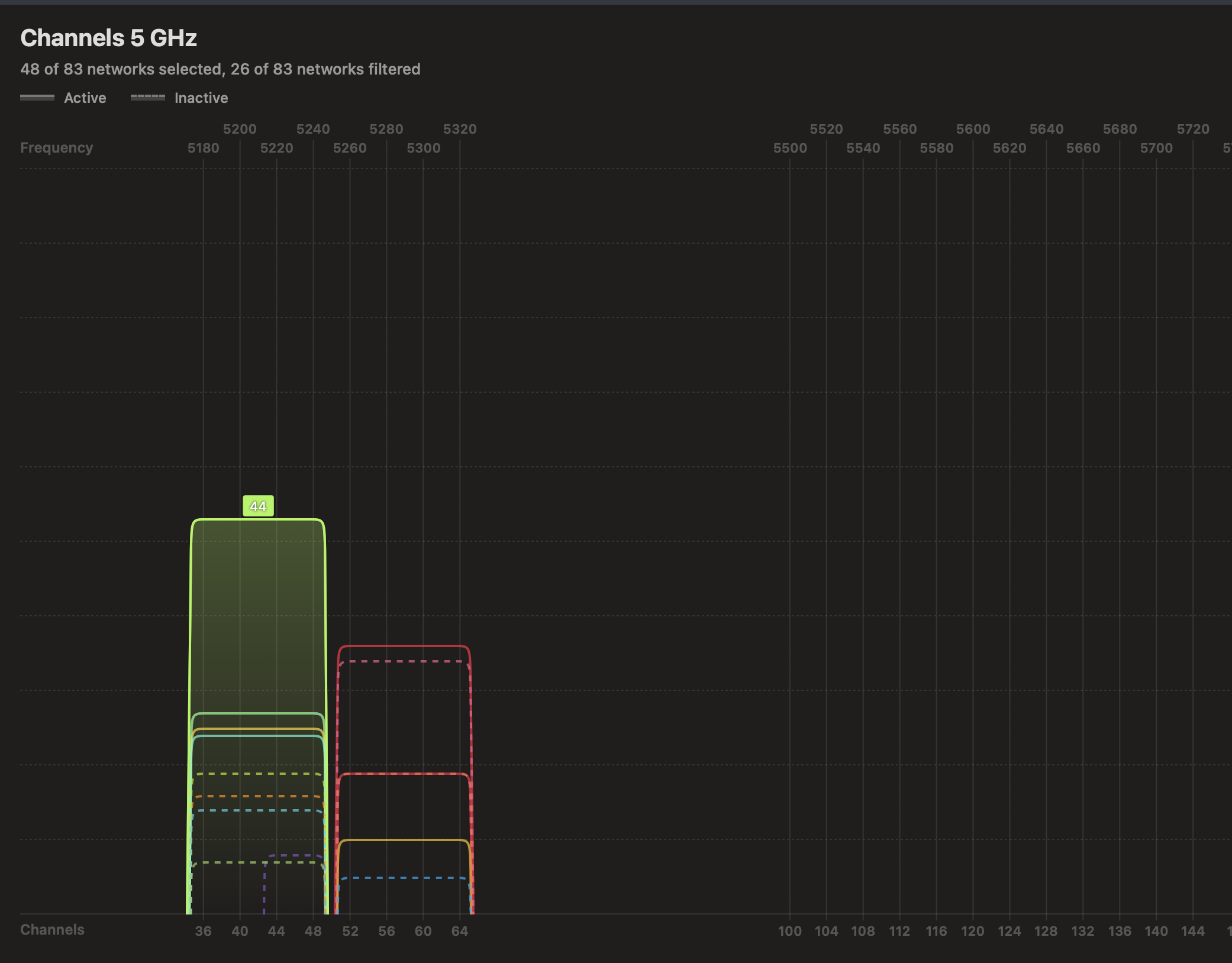
But afterwards - it's in Channel 44 (waited for more than 10 minutes for DFS scan).
Need to mention that I didn't select 44 at any point. It used to be 40 before.
- Copy Link
- Report Inappropriate Content

Hi,
The fact that all neighboring Wi-Fi networks are broadcasting in the channel range 36 to 64 and not a single one in the range 100 to 144 could be an indication that there are indeed radar signals present in that band and hence the Archer AX53/58 needs to avoid it.
Could you please try to set the channel on the AX53/58 to a channel in the 52 to 64 range? If the router starts broadcasting on these channels, then it means DFS is working, because 52 to 64 are also DFS channels.
- Copy Link
- Report Inappropriate Content

Tirik wrote
ГДЕ НАЙТИ ПОСЛЕДНЮЮ СТАБИЛЬНУЮ ДЛЯ РУ РЕГИОНА?
@Tirik The firmware is common for the EU and RU regions. Regional features (5 GHz range channels, DFS) are switched according to the regional code embedded in a specific router. You can install the firmware posted on the EU region website into a router for the RU region and the router will remain with Russian 5 GHz channels (36-64,149-161).
- Copy Link
- Report Inappropriate Content
Information
Helpful: 1
Views: 61848
Replies: 212
Voters 1
