
Solution [Tapo C325WB V2] Cannot Enjoy Full-Color Night Vision Without Activating Spotlights


This Article Applies To:
Tapo C325WB V2
Phenomenon Description:
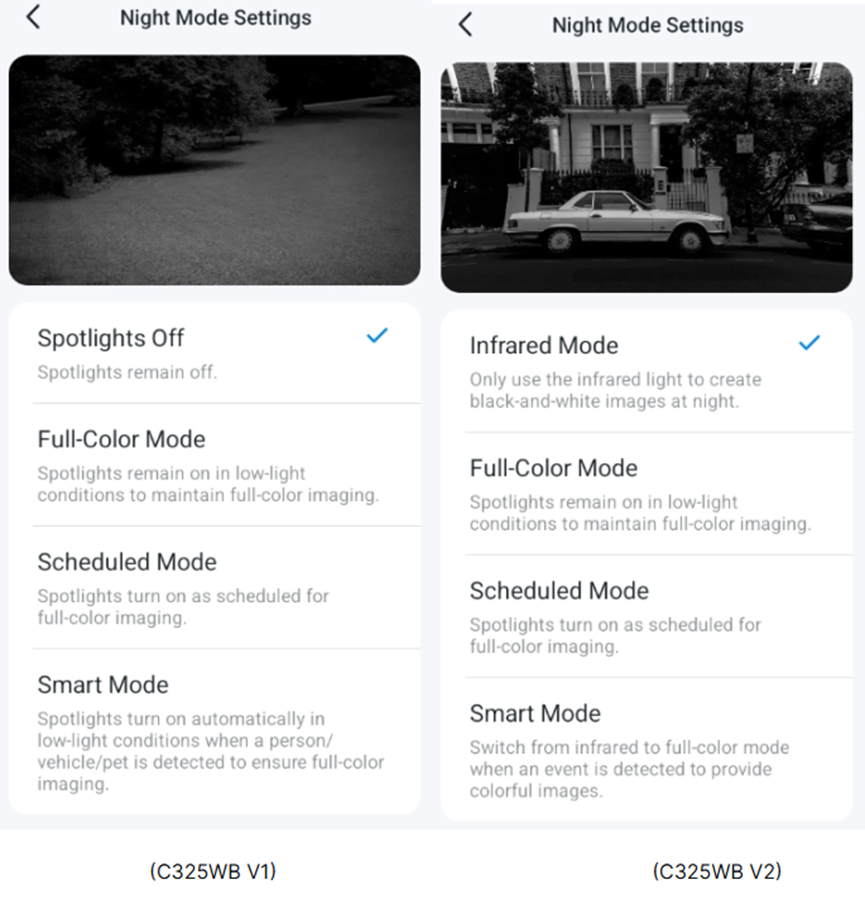
The Tapo C325WB V2 lacks a “Spotlight Off” option on its Night Mode Settings page, unlike the Tapo C325WB V1. As a result, users are unable to enjoy full-color night vision without activating spotlights. Below are the comparative images of the Night Mode Settings page for both versions.
Workaround:
Update on Feb 11, 2026.
The new official firmware (version 1.2.5 Build 260112 Rel.69632n) is being released gradually. It adds the Light Off Mode to the camera's Device Settings > Video & Display > Night Mode Settings page, enabling full-color image capture with ColorPro Night Vision while keeping spotlights off.
- If your camera receives the new firmware, please follow the instructions below to update the firmware in the Tapo app.
How to update the firmware of the Tapo devices on the Tapo App
- If your camera has not yet received the firmware, we suggest waiting patiently.
A new firmware adds the “Spotlight Off” mode to the Tapo C325WB V2. Before the official release, community users can have early access to the new firmware. If you would like to try it out, please send a private message to @Solla-topee with the following information.
1. Forum ID 852500 + A brief description of your usage scenario and why you want the “Spotlight Off” mode.
2. The MAC address of the Tapo C325WB V2.
★★ For users from the United States, please contact forumsupport.usa@tp-link.com instead.
Before the Upgrade:
(1) Please be sure you have read the Beta Test Agreement before upgrading the Pre-release firmware!
(2) How to update the firmware of the Tapo devices on the Tapo App
(3) Firmware downgrade is not supported. When a new official version is released, updating it will overwrite the beta version.
More Articles:
Tapo Camera Day/Night Mode Selection Guide: Best Settings Recommendations for Different Scenarios
What should I do if my Tapo camera triggers false detection?
Smart Home: Introduction to Common Smart Action Scenarios for Tapo Cameras
- Copy Link
- Subscribe
- Bookmark
- Report Inappropriate Content
Hi,
1. The new firmware has been pushed to your camera ending db-78. Please update it via the Tapo app and check if it helps.
2. By the way, when the Infrared mode is selected on the camera's Night Mode Settings page, it takes effect only when the camera goes into night mode. When the camera is in Day mode (displaying a colorful image without a spotlight), the infrared mode won't take effect.
Best Regards
- Copy Link
- Report Inappropriate Content
@Solla-topee IR mode works no problem on the other 3x V2. I think once the weather improves I can take down the green fuzz camera and do a factory reset as well as get the sd card out.
The beta has come through no problem to the other camera and IR mode works no problem.
- Copy Link
- Report Inappropriate Content

@Solla-topee Updated my device with Beta firmware. Findings:
1. With Light Off Mode selected, night vision is in color. This is ok.
2. IR is never activated in IR Mode, under extreme low light. Not even when front part of the camera is completely covered to block the light (tested at night).
3. In Full Color Mode, spotlight should've turned ON at night (in low light condition) but it never happen.
Seems like IR & Spotlight are malfunctioned in this version. There might be more of these. Not sure if others experienced something similar. I hope these findings could help the developer to further improve the firmware.
- Copy Link
- Report Inappropriate Content
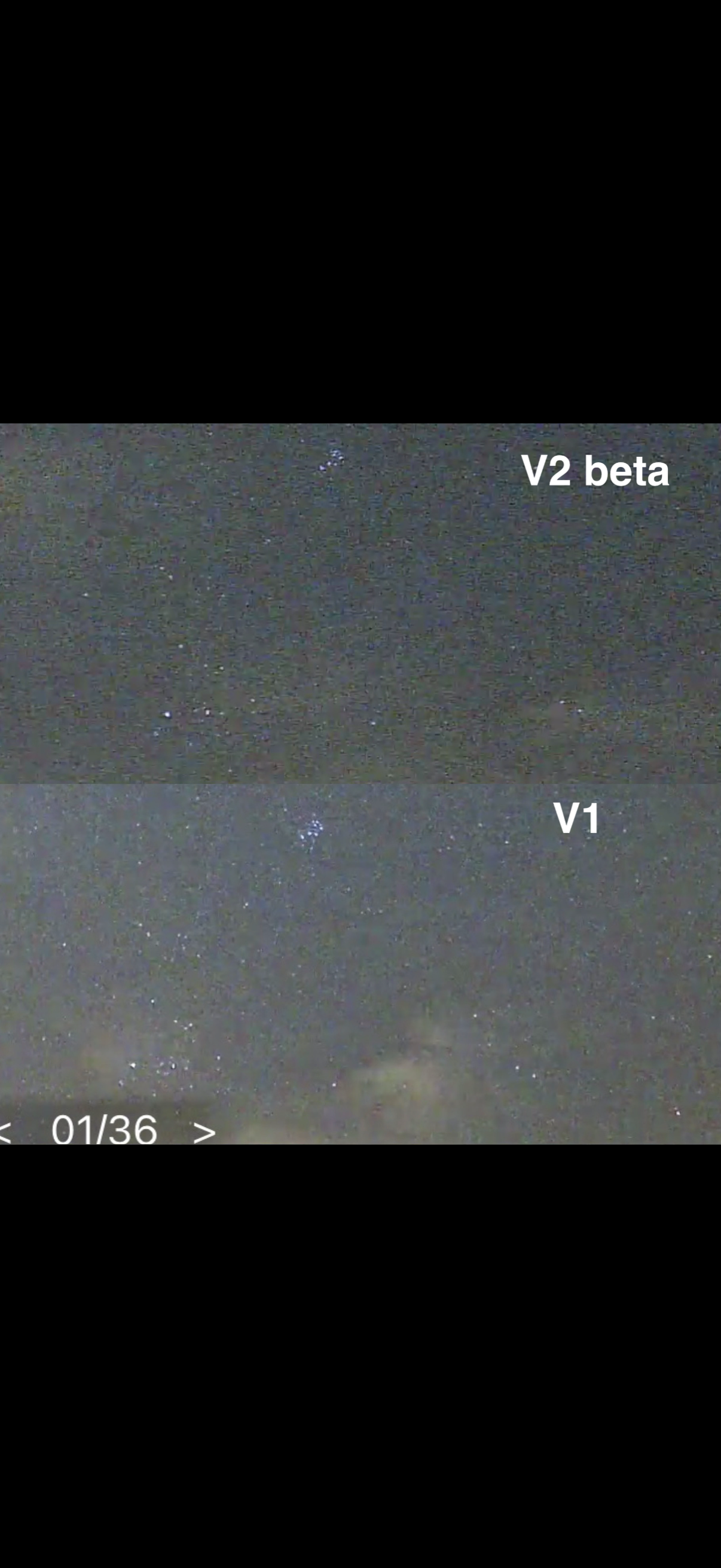
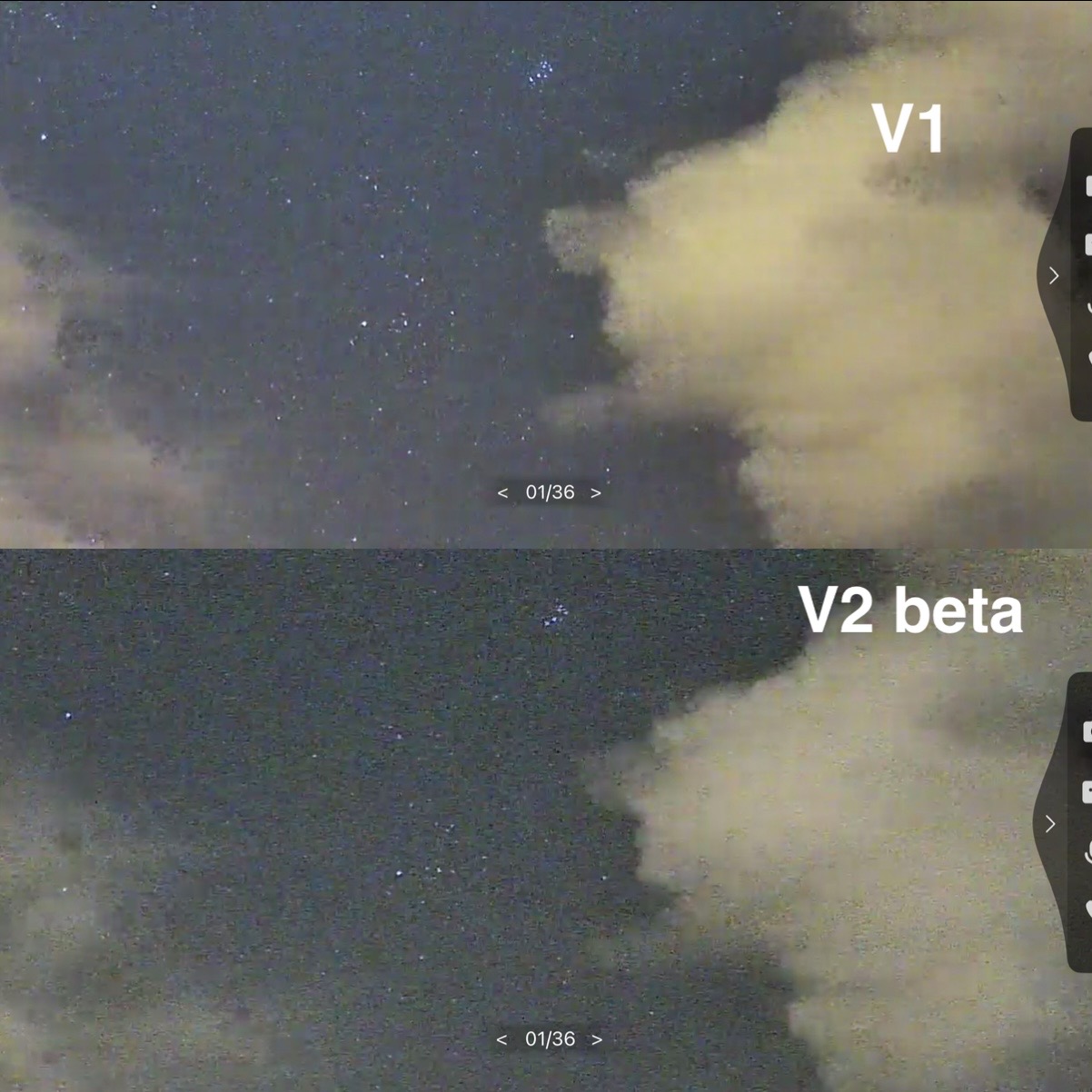
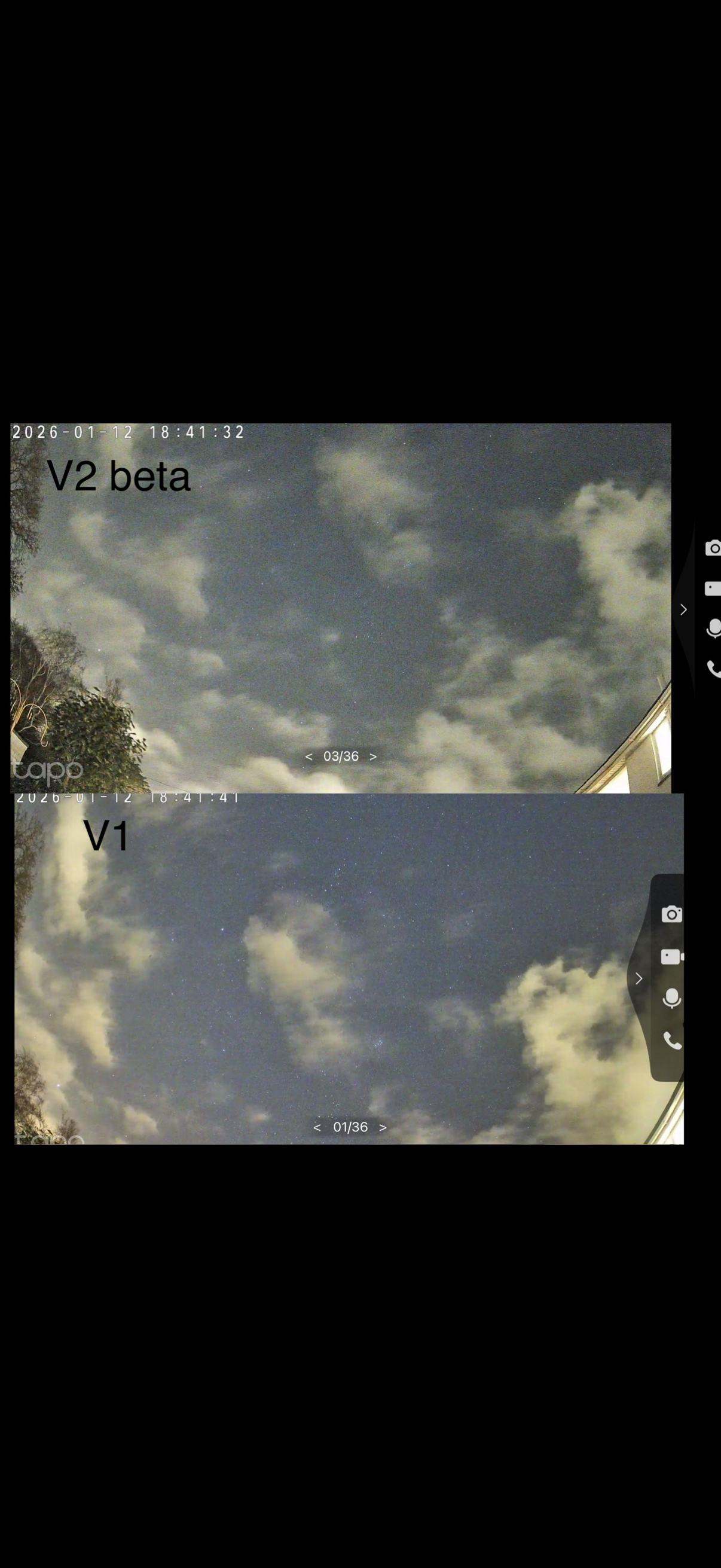
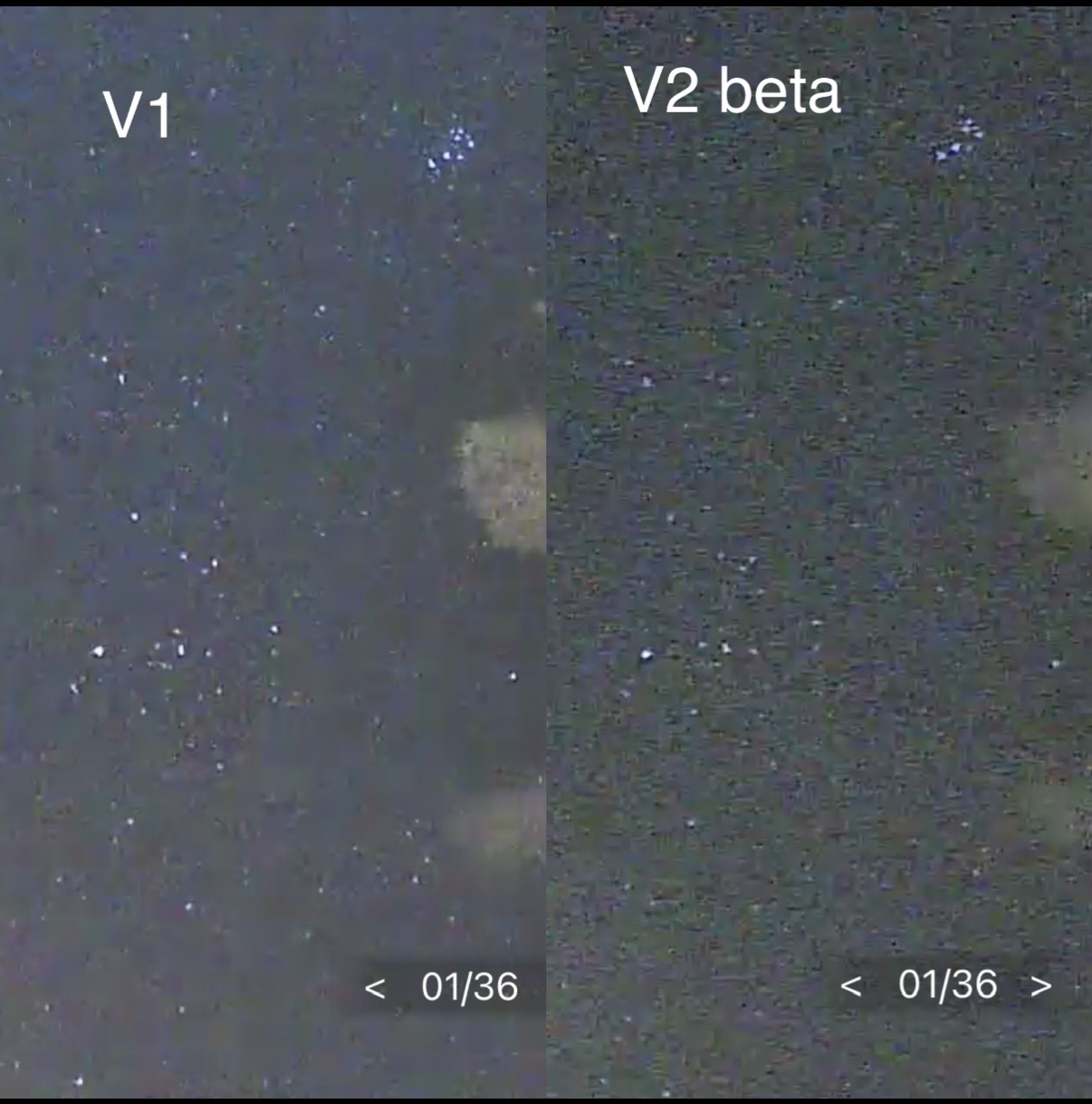 @Solla-topee mounted the V2 beta camera right below a V1 to view the same area for comparison. I have a few images for comparison. V1 still appears to be a better quality image than v2 light off
- Copy Link
- Report Inappropriate Content
- Copy Link
- Report Inappropriate Content
- Copy Link
- Report Inappropriate Content
- Copy Link
- Report Inappropriate Content
@Solla-topee as for the IR quality on the beta firmware I'm unable to test current as it is too close to the other camera so it will reflect the light.
I will hopefully move the camera again tomorrow just to position it to accurately test if IR is working just as well on the beta firmware.
- Copy Link
- Report Inappropriate Content
Hi,
On the Tapo C325WB's Night Mode Settings page, please select the Infrared mode, then send us a screenshot of the camera's live view page at night, even when the front part of the camera is completely covered.
Please note that the Full Color Mode and Infrared Mode take effect when the camera enters night mode. You may send us a video showing the camera's live feed at night with the Full Color Mode selected for further analysis.
Best Regards
- Copy Link
- Report Inappropriate Content
JenniferRidgway wrote
@Solla-topee as for the IR quality on the beta firmware I'm unable to test current as it is too close to the other camera so it will reflect the light.
I will hopefully move the camera again tomorrow just to position it to accurately test if IR is working just as well on the beta firmware.
Hi,
Thank you for your attempts and tests. Please feel free to reply if there are any updates.
Regarding the Spotlight Off mode performance on the Tapo C325WB V2, could you please send us some video recordings showing the difference between V1 and V2 for further analysis?
You can upload the videos to your cloud server (such as Google Drive), generate a download link, and send it to me (@Solla-topee) via a private message.
Best Regards
- Copy Link
- Report Inappropriate Content
Information
Helpful: 4
Views: 4658
Replies: 38
Voters 3


